yFiles for HTML Version 3.1 More layout options and visualization features
Following the major API overhaul in version 3.0, yFiles for HTML 3.1 is an incremental update that adds more layout configuration options and expands what you can do with visualization.
Highlights include heatmaps support for visualizing metrics on graph elements, squircle shapes, hierarchical layout improvements, faster edge bundling, expanded WebGL support, leaner library modules, and enhanced tooltips.
Updated interactive demos let you explore each new feature in action, alongside three new visualizations—Biofabrics, Event Timeline, and Space & Time.


Thank you!
Your message has been sent.
We'll get back to you as soon as possible.
Recorded Webinar
What's new in yFiles for HTML 2026?
You'll see live demos, and get a comprehensive overview of how these new capabilities can enhance your graph visualizations.

2026 major features
Heat map
The library now offers built-in support for heat maps. These can be used to visualize metrics such as utilization, throughput, risk, or other key performance indicators directly on your graph elements.
Each node or edge can have a heat map value between 0 and 1, and you can specify which colors and color gradients to use. This makes it straightforward to add visual weight to your diagrams without writing custom rendering code.

Squircle shape
RectangleNodeStyle, ShapeNodeStyle, LabelStyle and TextWrappingShape now support a squircle shape. A squircle is a shape between a square and a circle—implemented similarly to a pill shape, with semi-squircles on the shorter sides and straight lines on the longer sides.
This gives you another option for softening rectangular shapes without going full circle, which can be useful for creating more modern, approachable diagram styles.


Level of detail rendering for WebGL
Labels in WebGL rendering mode can now be displayed independent of the current zoom level. This means you can hide label text when the font size becomes too small to read, or ensure labels never shrink below a minimum readable size. The WebGL label fading demo illustrates how to achieve a simple level of detail display by fading out labels, nodes, and edges at certain zoom levels.
You can also temporarily enlarge selected labels to make them stand out, or keep important labels consistently visible regardless of how far users zoom in or out. This gives you more control over readability in graphs that span multiple zoom levels.
WebGL port rendering and more animations
The WebGL rendering mode now supports rendering of ports. Ports can use the same shapes available for nodes—rectangles, ellipses, triangles, and pills—giving you consistent styling options across different element types.
Animations that were previously available only for nodes (such as beacon animations) now also apply to edges and labels. Additional animations have been added for edge selection, highlighting, and focus.
Tooltips and popovers
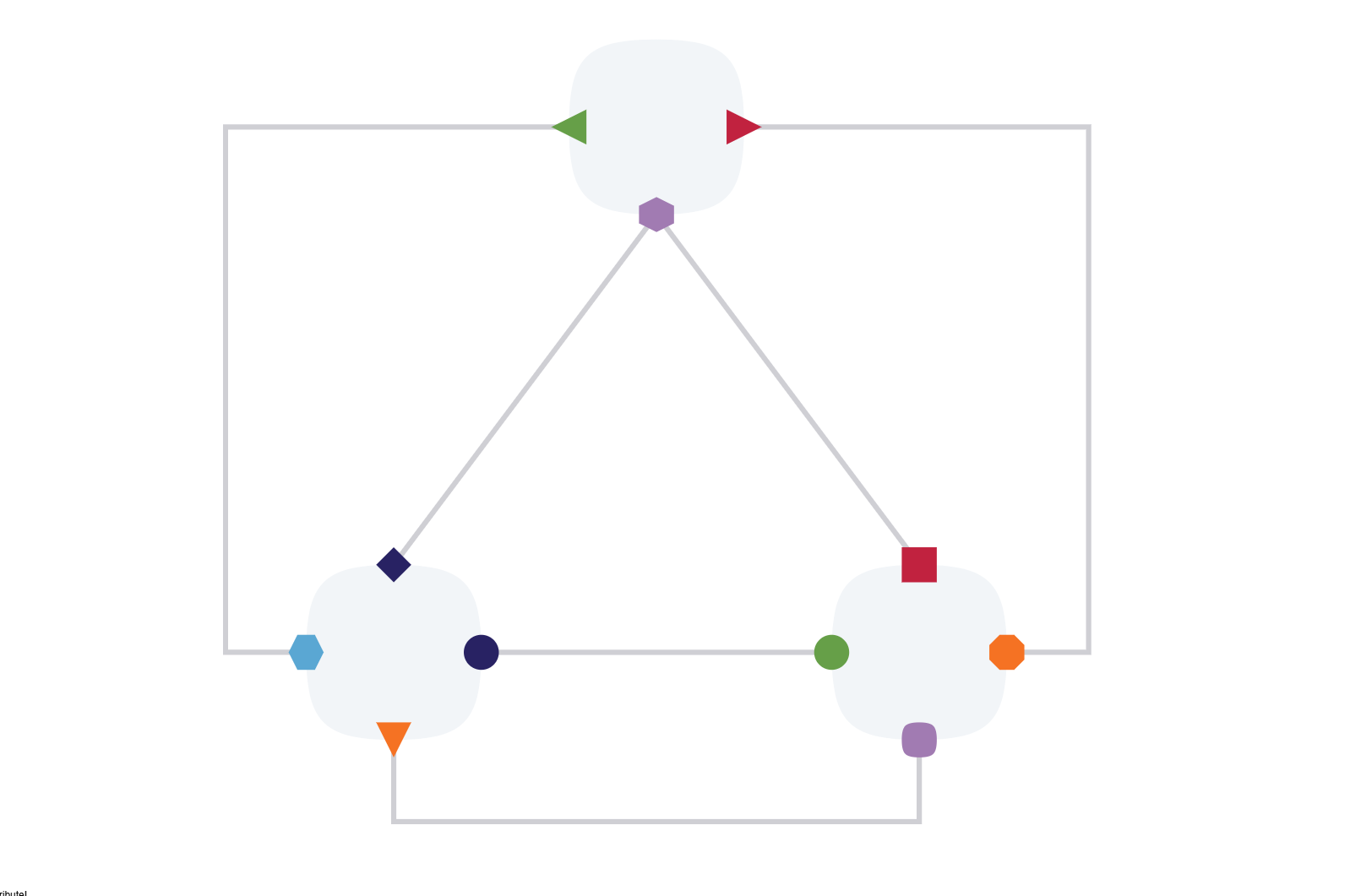
Tooltips and popovers have been significantly enhanced, making it much easier to present rich, contextual information directly on the graph. Tooltips, inline toolbars, detail panels, and persistent annotations can now appear exactly where they add the most value and remain visible as long as needed. The Tooltips and Popover demo showcases how to enable and tailor these popovers for different graph items.

Fixed elements support in hierarchical layout
The Hierarchical Layout now offers improved support for keeping an existing layout stable with respect to exact coordinates. This makes it possible to incrementally insert new elements while keeping the remaining elements at or as close as possible to their original location.
The new results preserve more spatial relations between nodes and thus better help maintain the user's "mental map" of the drawing. Instead of recalculating everything from scratch, the layout adapts to accommodate new content while respecting the existing arrangement.


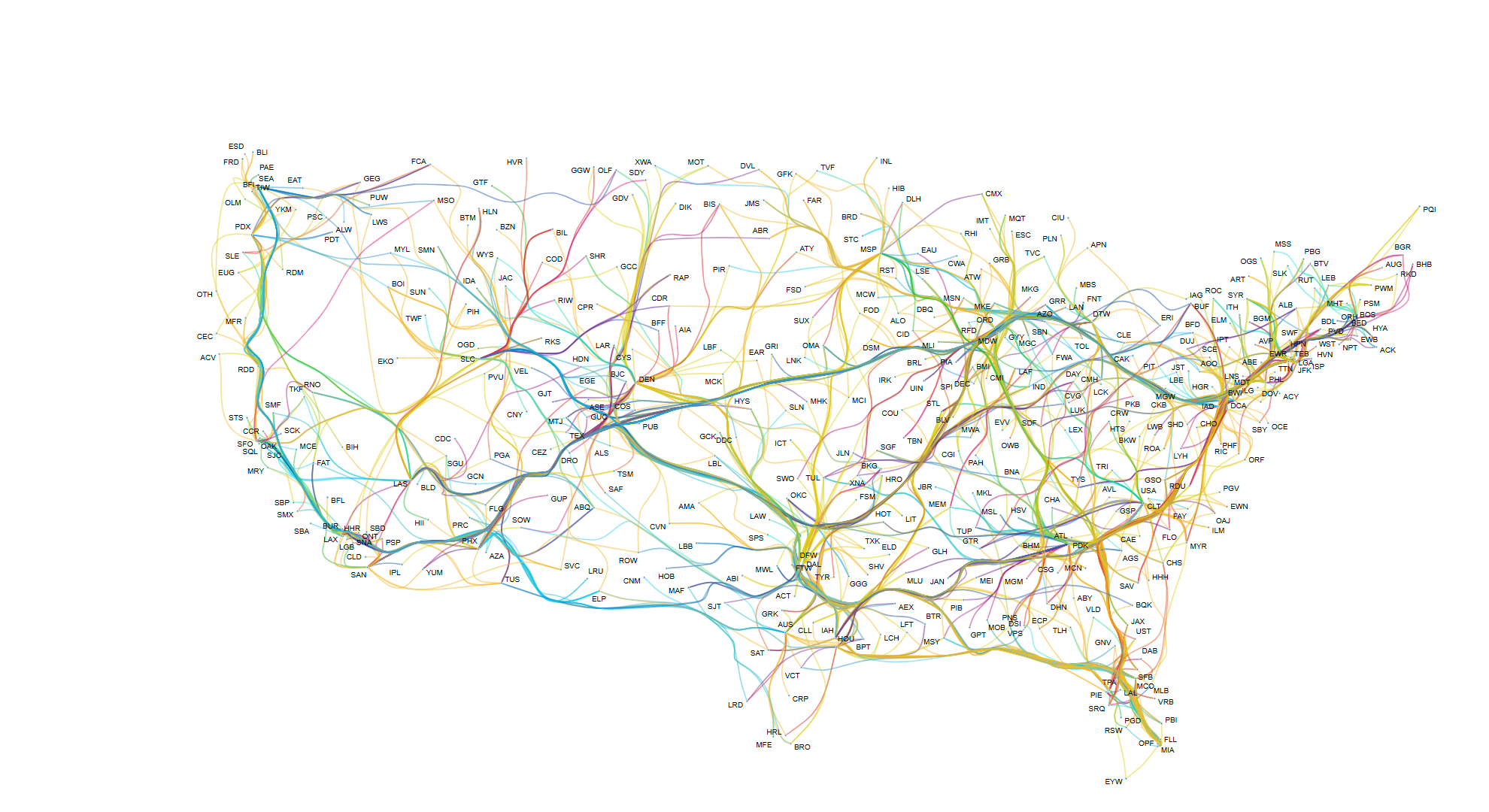
Fast edge-path bundling
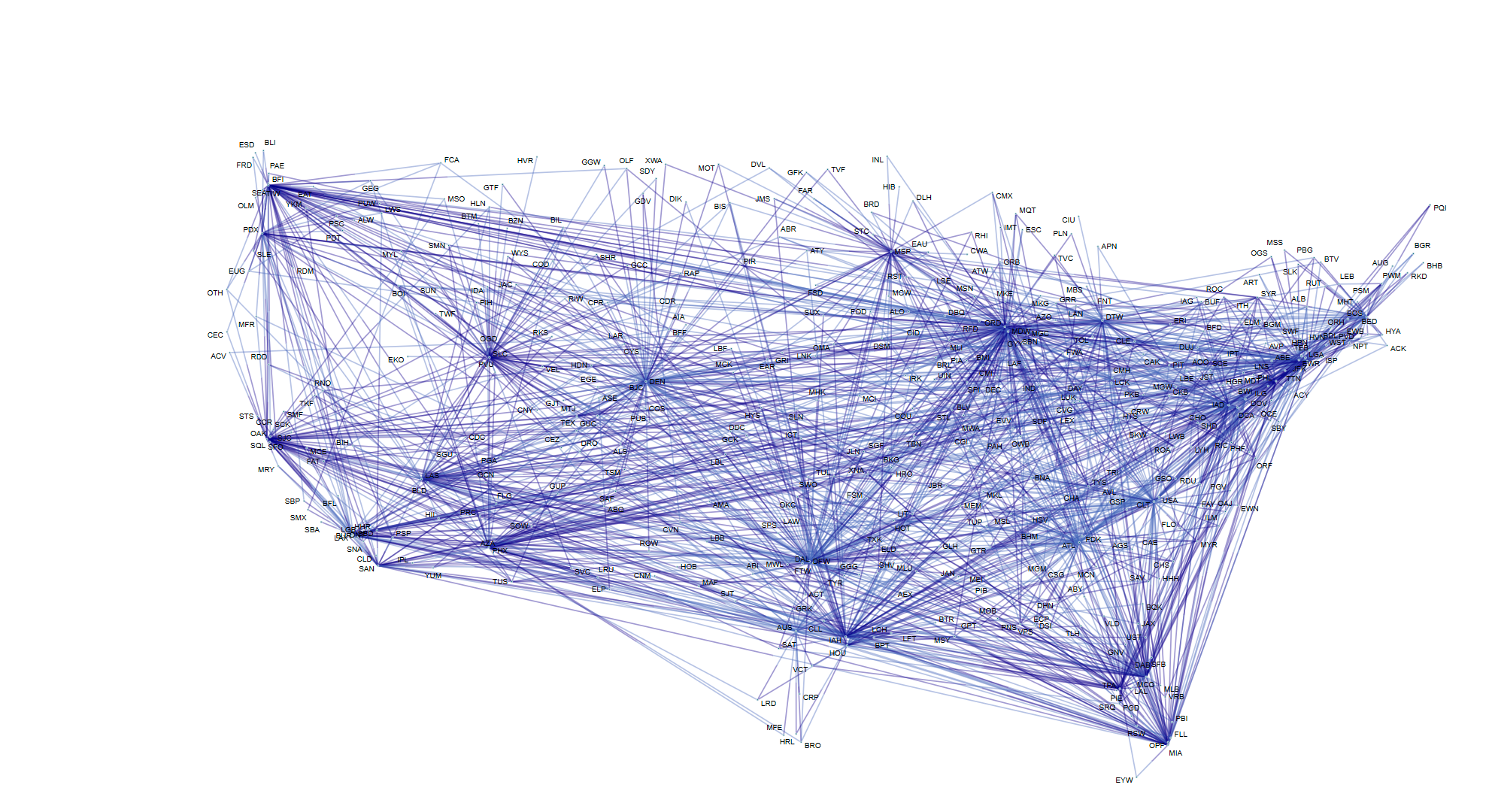
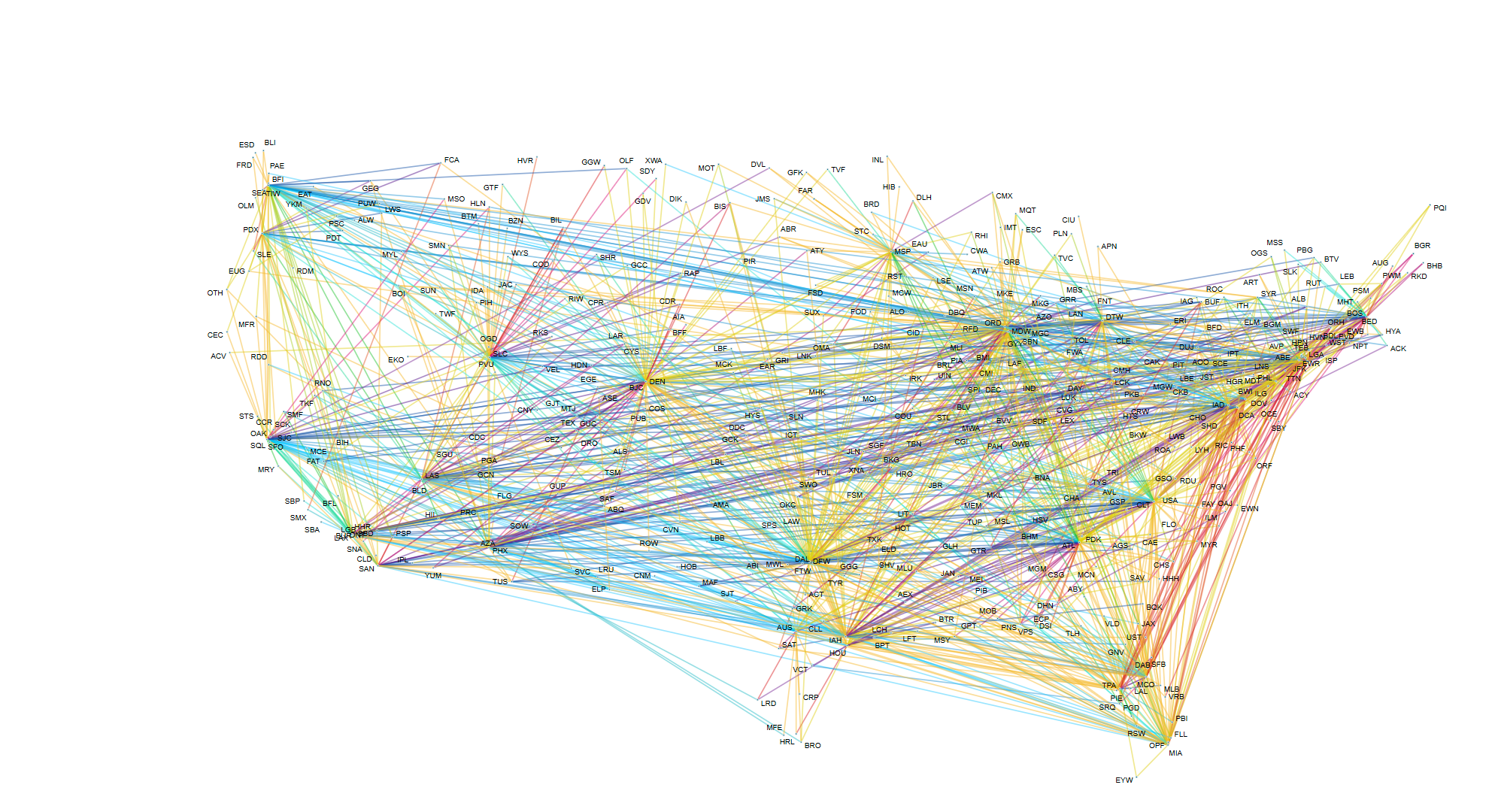
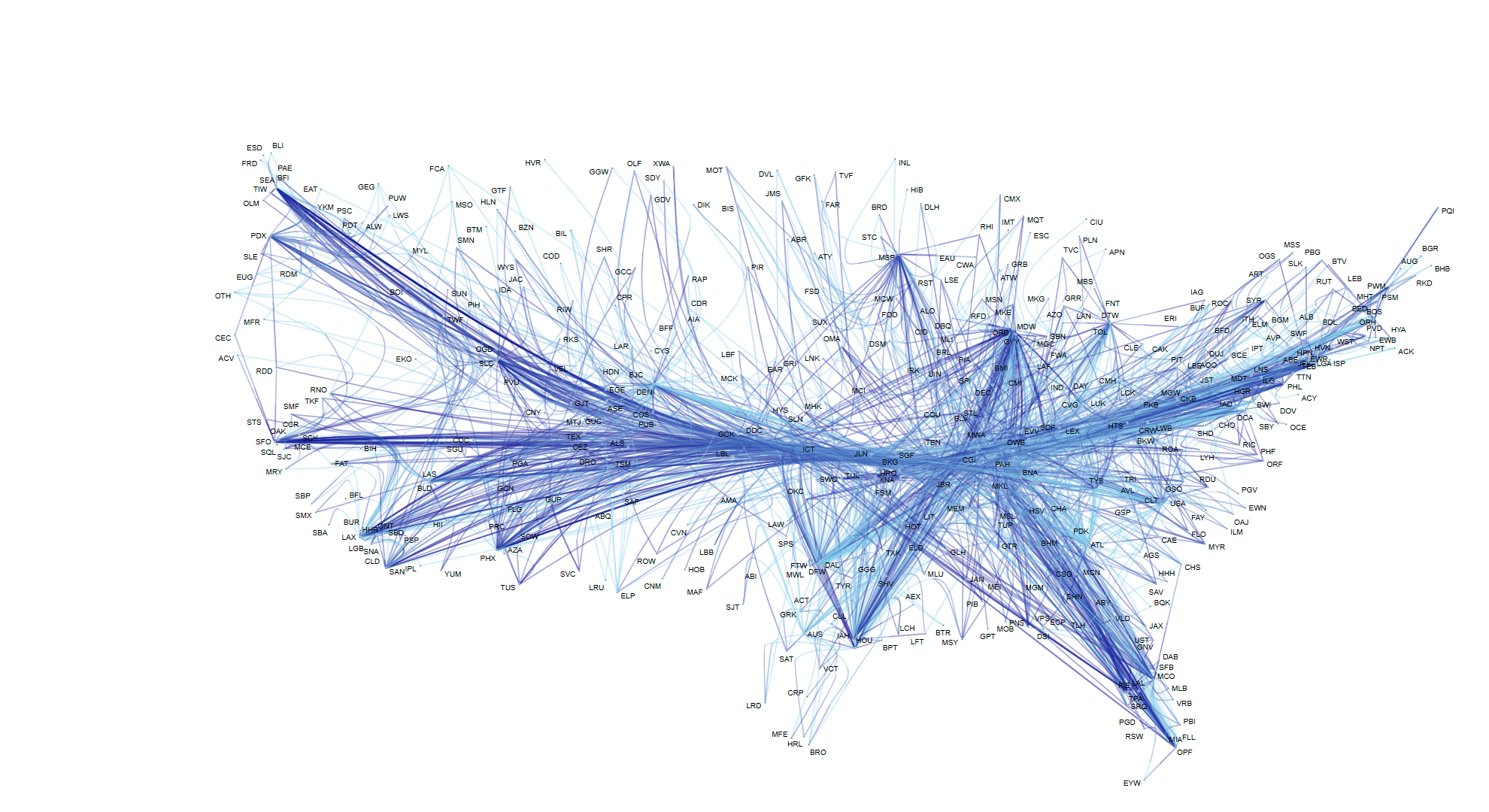
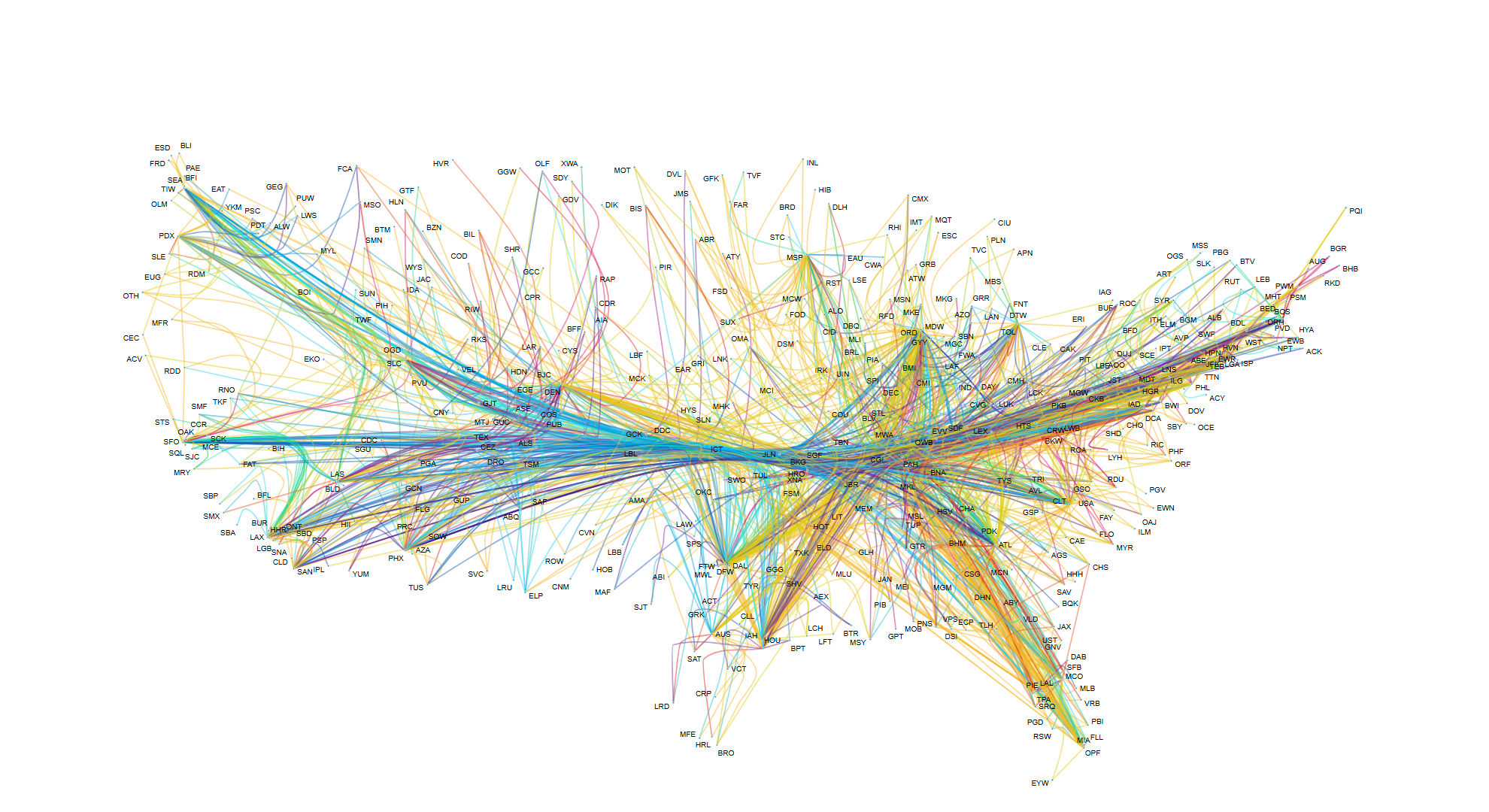
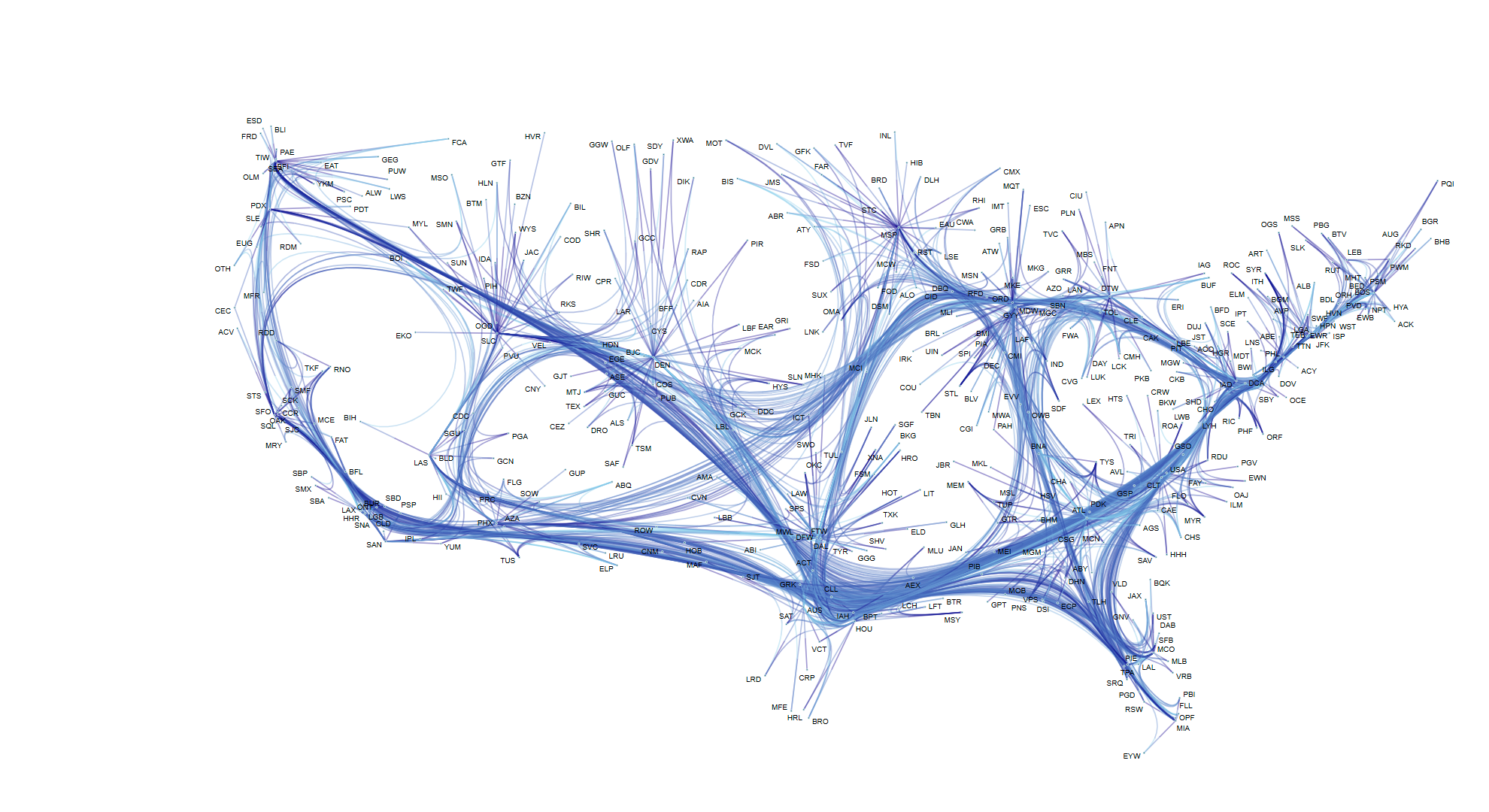
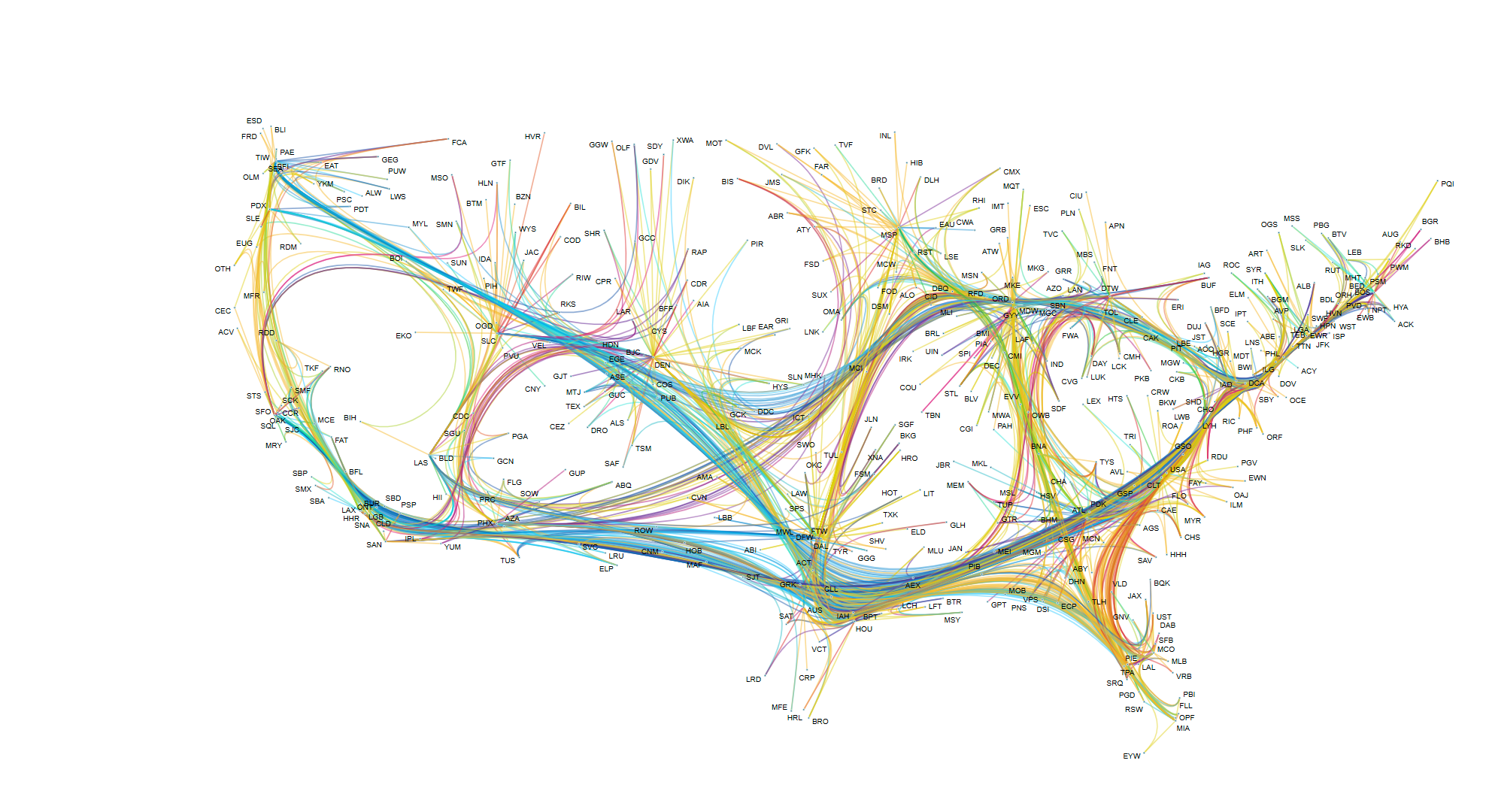
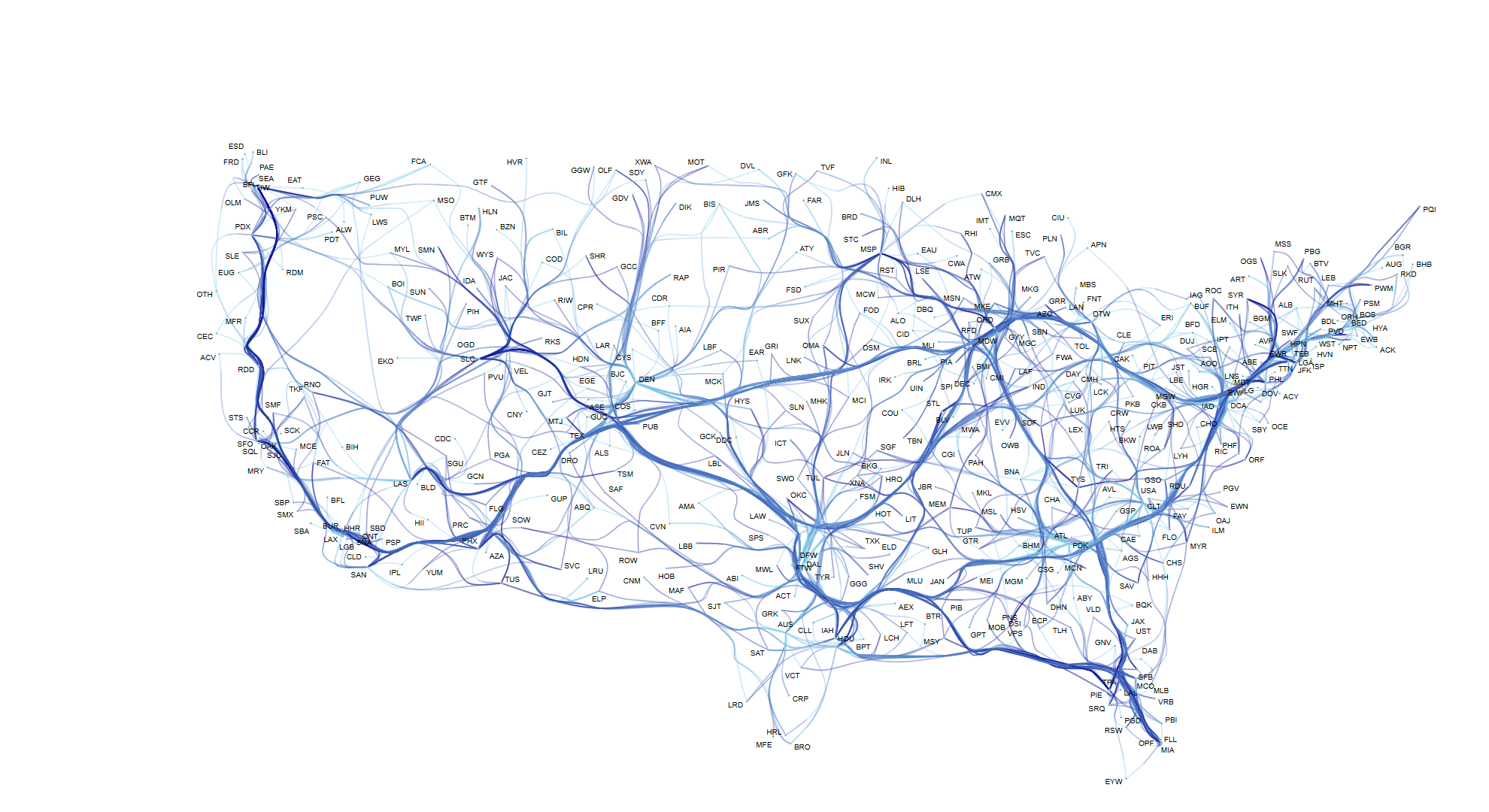
Edge bundling reduces the typical "hairball" look when visualizing large, dense graphs. By routing related edges along shared paths, visual clutter drops significantly and high-level connectivity patterns become immediately apparent.
Version 3.1 provides a new edge-path bundling variant that runs much faster than the existing force-directed approach. There's also an additional variant that specifically targets reducing node-edge overlaps, which makes for more readable visualizations when nodes and edges compete for space.
Improved sequence constraints in hierarchical layout
In hierarchical layouts, sequence constraints allow you to enforce a specific left-to-right ordering of nodes within the same layer. This is crucial for many real-world use cases that demand relative positioning between nodes—like alphabetical ordering or logical groupings.
This release greatly improves the handling of these constraints, which previously could compromise overall layout quality. The algorithm now respects your sequencing rules while still producing clean, readable hierarchies.


Reduced number of bends in hierarchical layout
Edge routes in hierarchical layouts tend to introduce very short, unnecessary segments. These tiny bends add visual noise without conveying meaningful structural information. The updated algorithm now actively minimizes these redundant bends, producing cleaner edge paths and tidier diagrams that are easier to read and trace. Less clutter means users can follow connections more quickly and understand the structure at a glance.
More granular module structure
The library is now split into more granular JavaScript modules. All major layout algorithms and features have been moved into separate modules, which means build tools can automatically exclude code you don't use from your production bundles.
This tree-shaking support results in smaller bundle sizes without requiring any changes to your code. The public API remains the same—you just import what you need, and your bundler takes care of the rest.
New visualization components
Biofabrics demo
The Biofabrics demo shows a tabular approach to network visualization. Instead of typical node-link diagrams, nodes are arranged as rows and edges as vertical line segments. This makes patterns in dense networks—like community structures or flow connections—easier to spot.
The demo includes three datasets: a company network, a logistics network, and a high-frequency trading network. Each highlights different aspects and advantages of biofabric visualizations. The source code gives you a practical starting point for your own implementation.


Event Timeline demo
The Event Timeline demo shows how to visualize time-dependent graph data where nodes represent entities and edges represent events connecting them. Nodes are arranged as horizontal line segments, and edges as vertical lines—making temporal relationships and event sequences immediately visible.
The demo includes interactive features like edge and node hover tooltips, timeline zooming, and scrolling to navigate through time. The complete source code is available on GitHub, providing a solid foundation for building your own timeline-based visualizations.
yFiles 3.1 demos
New demos


Updated demos with new features


Playground
Try yFiles' capabilities directly here in the playground.
  graph.nodeDefaults.size = [70, 70];
  graph.nodeDefaults.style = new ShapeNodeStyle({
    shape: ShapeNodeShape.ELLIPSE,
    cssClass: "node",
  });

  graph.nodeDefaults.labels.style = new LabelStyle({
    shape: LabelShape.PILL,
    backgroundFill: "white",
    backgroundStroke: "1px solid #6A8293",
    font: "15px poppins",
    textFill: "#6A8293",
  });


  graph.edgeDefaults.labels.style = new LabelStyle({
    shape: LabelShape.PILL,
    backgroundFill: "#6A8293",
    backgroundStroke: "1px solid white",
    font: "15px poppins",
    textFill: "white",
  });
  graphComponent.fitGraphBounds()
Choose your next steps
Get connected
Connect with our Customer Success Team regarding your ideas or projects.

Download yFiles
Try yFiles free of charge.