React Organization Chart Component Integrate organization charts
in React applications using a powerful and versatile React component
An organization chart (commonly referred to orgchart, organigram, or organogram) visually depicts the internal structure of an organization. It delineates the relations and hierarchy within an organization, with the members (e.g. employees, roles) usually represented as boxes.
These boxes may contain additional details such as their names, contact information, and occasionally images. Such a diagram usually has a tree structure, which itself constitutes a special kind of graph .
If you are working with AI coding agents, use the following prompt to get started:
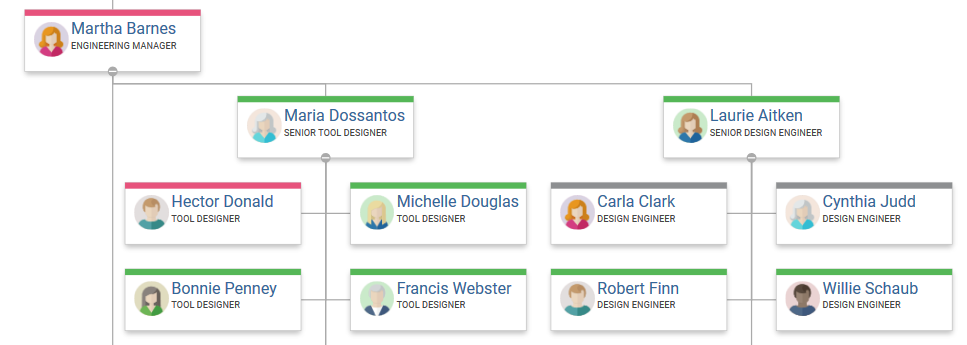
The open-source web application framework, React, continues to stand out as a top choice for web developers. However, building a visualizer or editor for organization charts in a React application can be challenging.
Developers can use various component frameworks that simplify the creation of modern web applications. Leveraging React's component-based approach makes the tailoring to specific use cases much easier. In a web application that uses React, think of components as building blocks for different parts of the webpage.
yFiles for HTML offers a highly adaptable React component. This component is specifically designed to simplify the visualization of organizational charts within a React application.
What is yFiles exactly? Well, yFiles for HTML is a commercial programming library explicitly designed for graph, network, and diagram visualization.
Note that the word "graph" here refers to the mathematical graph with nodes and edges, rather than a function graph or bar charts.
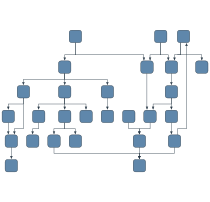
Directed acyclic graph
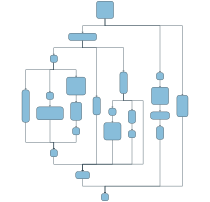
Directed graph
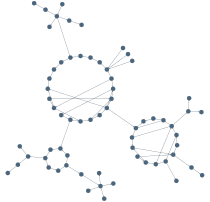
Undirected network graph
yFiles' built-in user input handling makes the graph visualization highly interactive with keyboard, mouse, or touch gestures.
Because of the flexible style options, the graph visualization can be tailored to any domain. Have a look at the various use cases yFiles can cater to.
And its sophisticated layout algorithms let you easily create clear, stunning, and highly complex graph visualizations.

Powerful Graph Visualizations with yFiles
yFiles gives you the tools to create clear and scalable graph visualizations for graph databases. With advanced automatic layouts, you can focus on analyzing and optimizing your graph data instead of arranging nodes manually.
Leverage interactive features, animations, and flexible styling to build dynamic graph applications. yFiles seamlessly integrates with web technologies, making it easy to bring data to life in any application.
Start visualizing your database graphs with yFiles today!


Thank you!
Your message has been sent.
We'll get back to you as soon as possible.
Organization chart component creation
In a React-based web application, data is commonly supplied to the organization chart component as props to facilitate its rendering.
Now, when we say "data is passed to the component," it means that the information about who works where in the company is given to this organization chart section.
This information helps the component create and show the chart on the webpage, displaying the structure of the organization visually.
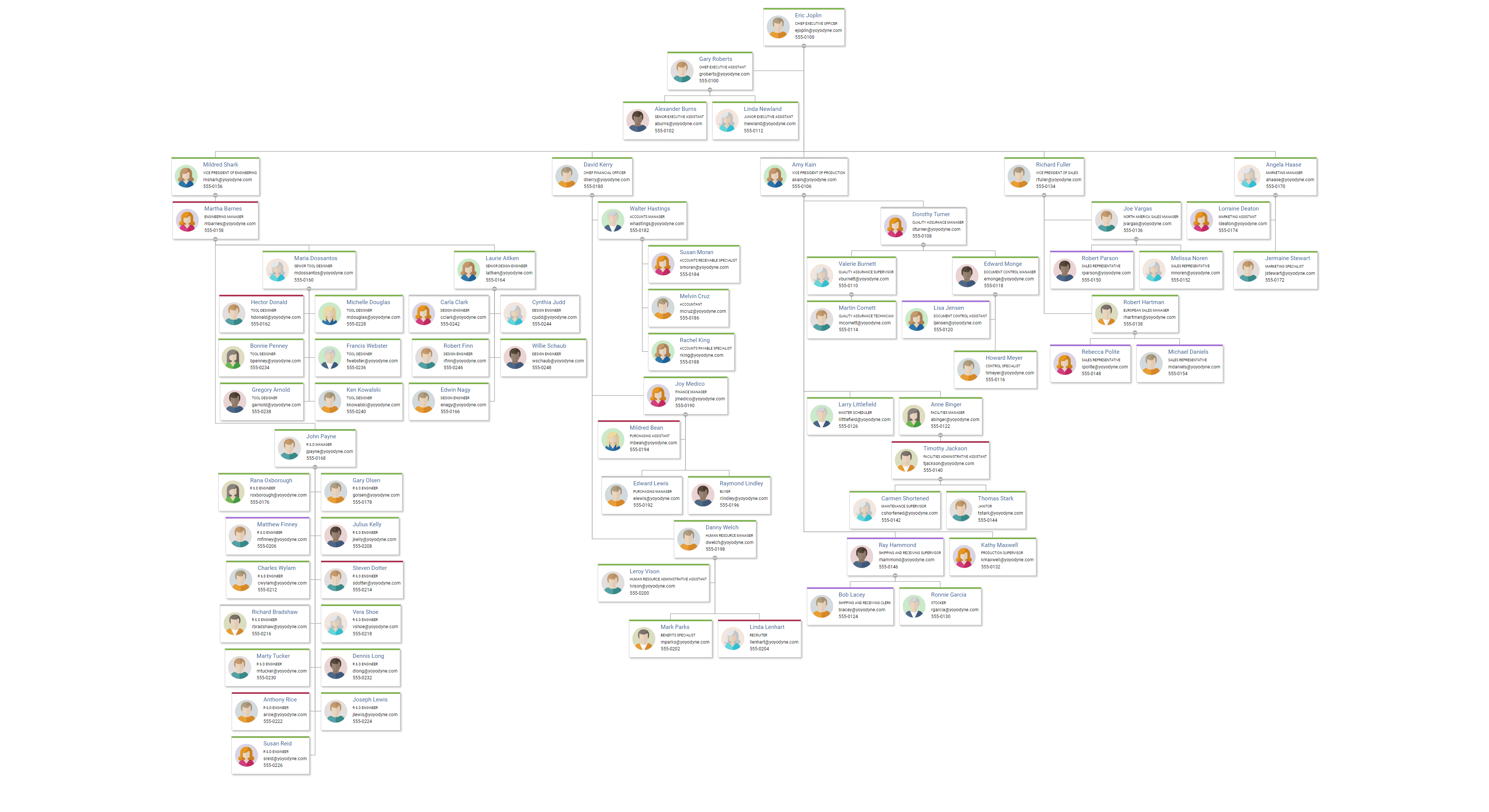
Although yFiles for HTML can be directly attached to an asynchronous data provider, you can also supply data objects, such as JSON, which contain information. This data is then used to generate a diagram.
Integrating a sophisticated organization chart component in a React application is as easy as this:
Discover the yFiles React Organization Chart Component through the yFiles Playground , an optimal platform for getting acquainted with the component and its functionalities.
Visualizing the members
In the context of an organizational chart, it's typical to represent a member, like an employee, using a box or card that displays additional details about that member, e.g., the member's name.
In addition to the name, the usual content encompasses the member's role, along with contact details like phone number and email address. Frequently, a photograph and additional information about the member's present status are included to provide a comprehensive profile.

The yFiles React Organization Chart Component enables a high level of customization in visualizing items. This is achieved by utilizing custom React components to render items based on specific requirements.
The following code snippet exemplifies how this customization can be seamlessly integrated into your web application.
Furthermore, the yFiles React Organization Chart Component incorporates a rendering functionality, allowing users to tailor connection visualizations. This feature provides command over parameters like stroke, bend smoothing, thickness, and arrow styles for a more personalized representation.

React organization chart connection styling
Managing large organization charts
Extensive organizational diagrams, like those depicting the framework of a sizable corporation, have the potential to become densely populated and perplexing. Several techniques can be used to improve their readability.
Level of detail
Level of detail rendering is crucial for accelerating the rendering performance of the diagram. Therefore, adapting the displayed item information based on the zoom level becomes essential. Especially when working with large graphs.
For instance, in an organization chart, details like addresses and telephone numbers can be omitted to avoid unnecessary clutter. Such as in cases when you only want to get an overview of the diagram.
It might be more appropriate to disclose such information only when zoomed in to a certain level for better clarity and visibility. An advanced strategy involves representing individuals with simplistic icons when the diagram is zoomed out extensively.
In the yFiles React Organization Chart Component, you can accomplish this by utilizing a personalized React component for item visualization that adapts based on the zoom factor.
Collapsing of substructures
When handling large diagrams, filtering out irrelevant data becomes crucial. Concealing multiple entities altogether can be convenient at times.
For instance, when presenting a broad overview of a company structure, hiding all nodes below the executive level is a common practice. Conversely, if the emphasis is on a specific branch, displaying the board of directors obviously becomes less relevant. Therefore, having the capability to hide both child and parent nodes of an entity is essential for effective and smooth diagram management.
The above example was created using the yFiles React Organization Chart Component. It leverages yFiles' filtering capabilities in conjunction with interactive elements, such as buttons, incorporated into the visualizations.
Additional features
This yFiles React Organization Chart Component has many more additional features such as implementing popups, context menus, and tooltips on diagram items. Providing extensive customization choices for both functionality and visual presentation.
Moreover, the yFiles React Organization Chart Component even provides event notifications to alert users about focused, selected, or hovered-over items. This functionality offers flexibility in responding to state changes, enabling dynamic updates to external information panels and opening up various possibilities.
But wait there's more! This component also offers additional built-in elements to enhance interaction with the organization chart. These elements can be incorporated with ease as children of the organization chart component:
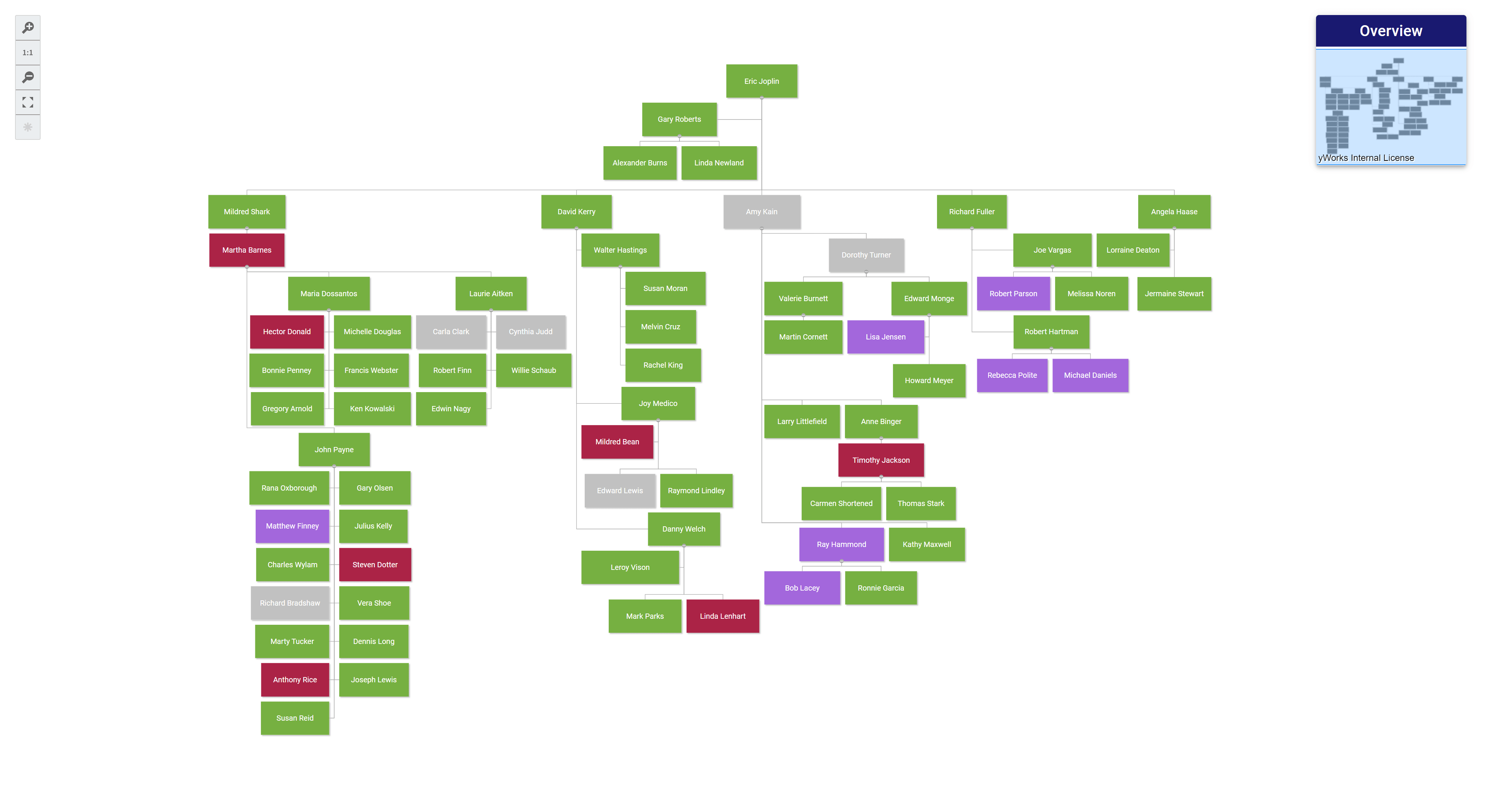
- Overview: Presents a simplified view of the entire graph along with the current viewport.
- Controls: Features a toolbar with buttons to adjust the viewport.
Additionally, the yFiles React Organization Chart Component offers the essential functionality to export your diagram in SVG or PNG format, as well as the option to print your diagram using the browser's functionality.
About yFiles: The graph visualization SDK

yFiles is your go-to SDK for crafting advanced graph visualizations, whether you're working with Web, Java, or .NET technologies. Its unmatched flexibility and scalability enable you to convert complex data into clear, actionable visuals, fitting for both enterprise and startup needs.
With yFiles, you're equipped for the future—supporting any data source while maintaining strong data security. Getting started is seamless, thanks to over 300 source-code demos, thorough documentation, and direct access to core developer support. These resources are available even during your free trial.
Backed by 25 years of graph drawing expertise, yFiles is trusted by top companies worldwide for their most critical visualization tasks.
11 reasons why React developers trust yFiles!








Start with an AI Coding Agent
Let your AI coding agent set up a yFiles project for you—just copy the prompt and paste it into your agent of choice (e.g. Cline, Junie, Copilot).
“https://docs.yworks.com/react-yfiles-orgchart/ai/agent-start.md”
Examples and source code
The yFiles React Organization Chart Component comes with numerous example applications showcasing how to integrate and customize the component within a React application. You can find the source code of these applications on the yWorks GitHub repository.
To integrate the yFiles React Organization Chart Component in your React application, follow these steps:
- Download the trial version of yFiles for HTML at the yWorks Customer Center.
-
Install the Organization Chart component via
npm
:
npm install @yworks/react-yfiles-orgchart -
The organization chart module has certain peer dependencies that must be installed within
your project. Since it is a React module,
reactandreact-domdependencies are needed. - Before using the component, copy the trial license of yFiles for HTML into your project.
- Add the component in your application.
- For more information on how to use the component, refer to the accompanied documentation .
Explore the seamless integration of the yFiles React Organization Chart Component into your React application! The following concise code snippet will give you an impression of how easy it is to integrate this powerful yFiles component:

Click image to go to the getting started documentation
Experience the capabilities firsthand
As an alternative to the yFiles React Organization Chart Component, the app generator can be utilized to create a rapid prototype of an organization chart.
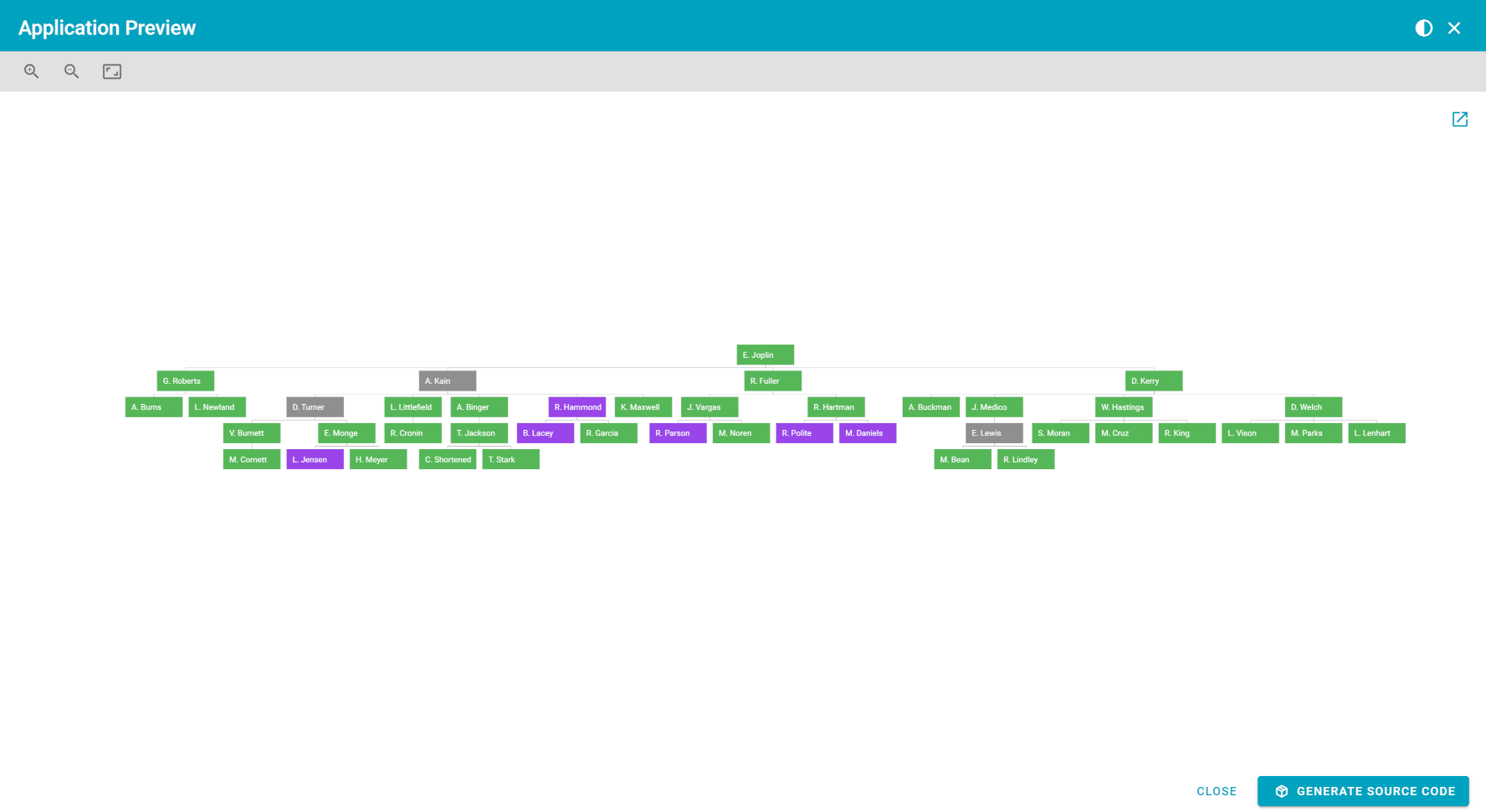
yWorks' App Generator is a user-friendly tool that quickly creates customized diagramming applications. It simplifies the integration of advanced graph visualization features, enabling developers to build dynamic applications with ease.
Benefits
Here are 10 benefits of integrating the yFiles React Organization Chart Component into your React application:
Effortless integration
The yFiles React Organization Chart Component seamlessly integrates into React applications, streamlining
the process of incorporating organization charts.
Highly customizable visualizations
Benefit from a high level of customization, as the component allows the use of custom React components
to tailor the visual representation of organization chart items according to specific requirements.
Sophisticated layout algorithms
Leverage advanced layout algorithms provided by yFiles, enabling the creation of clear, readable,
and aesthetically pleasing graph visualizations for organizational structures.
Scalability and performance optimization
Efficiently handle large-scale organizational diagrams through techniques like level of detail
rendering and collapsing substructures, ensuring optimal performance even with extensive datasets.
Versatility across industries
Adapt the yFiles component for various industries, including corporations, healthcare organizations,
educational institutions, and more, showcasing its versatility in meeting diverse industry-specific
requirements.
Interactive elements and notifications
Enhance user interaction with built-in elements like popups, tooltips, and event notifications,
providing dynamic updates to external information panels and offering a responsive and engaging
user experience.
Visual member representation
Visually represent members within the organization chart with customizable boxes or cards that
display additional details, such as names, roles, contact information, and even photographs, creating
comprehensive member profiles.
Responsive to state changes
Enjoy flexibility in responding to state changes, allowing for dynamic updates to external information
panels, providing users with real-time information, and opening up various possibilities for interactive
applications.
Industry-specific use cases
Explore and implement industry-specific use cases with ease, as the yFiles React Organization
Chart Component caters to a wide range of applications, making it adaptable for specific needs
in finance, healthcare, technology, and more.
Rich set of additional features
Take advantage of a rich set of additional features, including an Overview for a simplified view
of the entire graph, Controls featuring a toolbar for adjusting the viewport, and ample example
applications showcasing integration and customization possibilities.
These benefits highlight the advantages of incorporating the yFiles React Organization Chart Component, offering developers a powerful and flexible tool for creating interactive and visually appealing organizational charts within React applications.
Versatile industry-specific visualizations
Explore the adaptability of the yFiles React Organization Chart Component across diverse industries. Delve into industry-specific examples showcasing how this component enhances organizational visualizations, providing tailored solutions for sectors ranging from healthcare to finance. Witness the versatility of yFiles React in transforming complex hierarchies into clear and interactive displays, ensuring a seamless fit for the distinct needs of each industry.
| Industry | Use case | Organization chart usage |
|---|---|---|
| Healthcare | Visualizing hospital hierarchy | Represents the organizational structure of a hospital, including departments, medical staff, and administrative roles. |
| Finance | Corporate finance organization | Displays the hierarchy within a financial institution, including finance departments, investment teams, and executive roles. |
| Technology | Tech company team structure | Visualizes the structure of a technology company, showcasing software development teams, product management, and leadership roles. |
| Manufacturing | Manufacturing plant organization | Represents the hierarchical structure of a manufacturing plant, including production lines, quality control, and managerial positions. |
| Education | University department structure | Showcases the hierarchy of university departments, faculty members, and administrative staff. |
| Retail | Retail chain management | Depicts the structure of a retail chain, including store managers, regional supervisors, and corporate management roles. |
| Government | Government agency structure | Visualizes the organizational hierarchy of a government agency, displaying different departments, officials, and support staff. |
| Non-Profit | Non-Profit organization chart | Represents the structure of a non-profit organization, including program managers, volunteers, and executive leadership. |
| Consulting | Consulting firm teams | Displays the structure of a consulting firm, with consultants, project teams, and leadership roles. |
| Energy | Energy company departmental structure | Visualizes the hierarchical representation of an energy company, including engineering teams, project managers, and executive roles. |
| Telecommunications | Telecom company divisional hierarchy | Visualizes the structure of a telecommunications company, including network operations, customer service, and managerial positions. |
| Hospitality | Hotel management structure | Represents the hierarchy within a hotel, showcasing departments like front desk, housekeeping, and food services. |
Frequently Asked Questions
How can I integrate the yFiles React Organization Chart Component into my React application?
To integrate the component, download the trial version of yFiles for HTML, install the Organization Chart component via npm, ensure necessary dependencies, and add the component to your application. Refer to the documentation for detailed steps.
How do I get started with yFiles React Components?
To get started, you need to install the yFiles for HTML library and choose a yFiles React component to install from npm. Detailed installation and setup instructions are provided on the documentation page of the specific React component.
What kind of organizations can benefit from using the yFiles React Organization Chart Component?
How do I integrate yFiles React Components into my existing React application?
You can integrate a yFiles React Component by installing yFiles for HTML and the chosen React component, importing the component, and using it within your React application's component tree. The components are designed to be easily embedded and customized within your existing React components. Detailed installation and setup instructions are provided on the documentation page of the specific React component.
How does yFiles handle large-scale organization charts for extensive corporations?
What are some unique features of the yFiles React Organization Chart Component?
Can I customize the visual representation of organization chart items using the yFiles React Organization Chart Component?
Choose your next steps
Get connected
Connect with our Customer Success Team regarding your ideas or projects.

Download yFiles
Try yFiles free of charge.