Organic Layout A tutorial with concepts, use cases, and practical customization
The organic layout is a versatile and powerful algorithm that goes beyond simple force-directed layouts by offering extensive configuration options for visual clarity, structural emphasis, and efficient handling of complex and dynamic graphs. Its ability to balance aesthetics with performance and incorporate constraints makes it a valuable tool for various data visualization tasks.
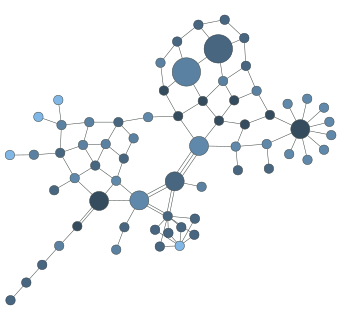
Organic network graph
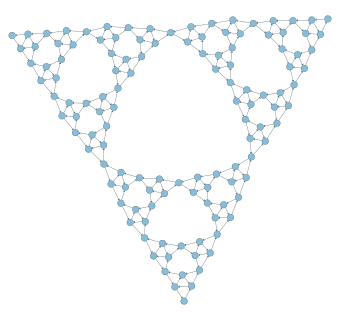
Mesh triangle graph
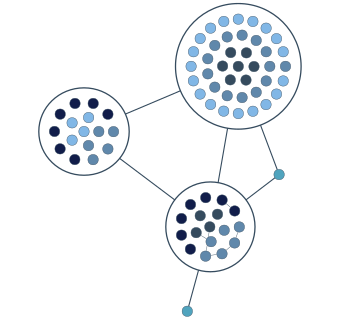
Organic cluster graph
What is an organic layout?
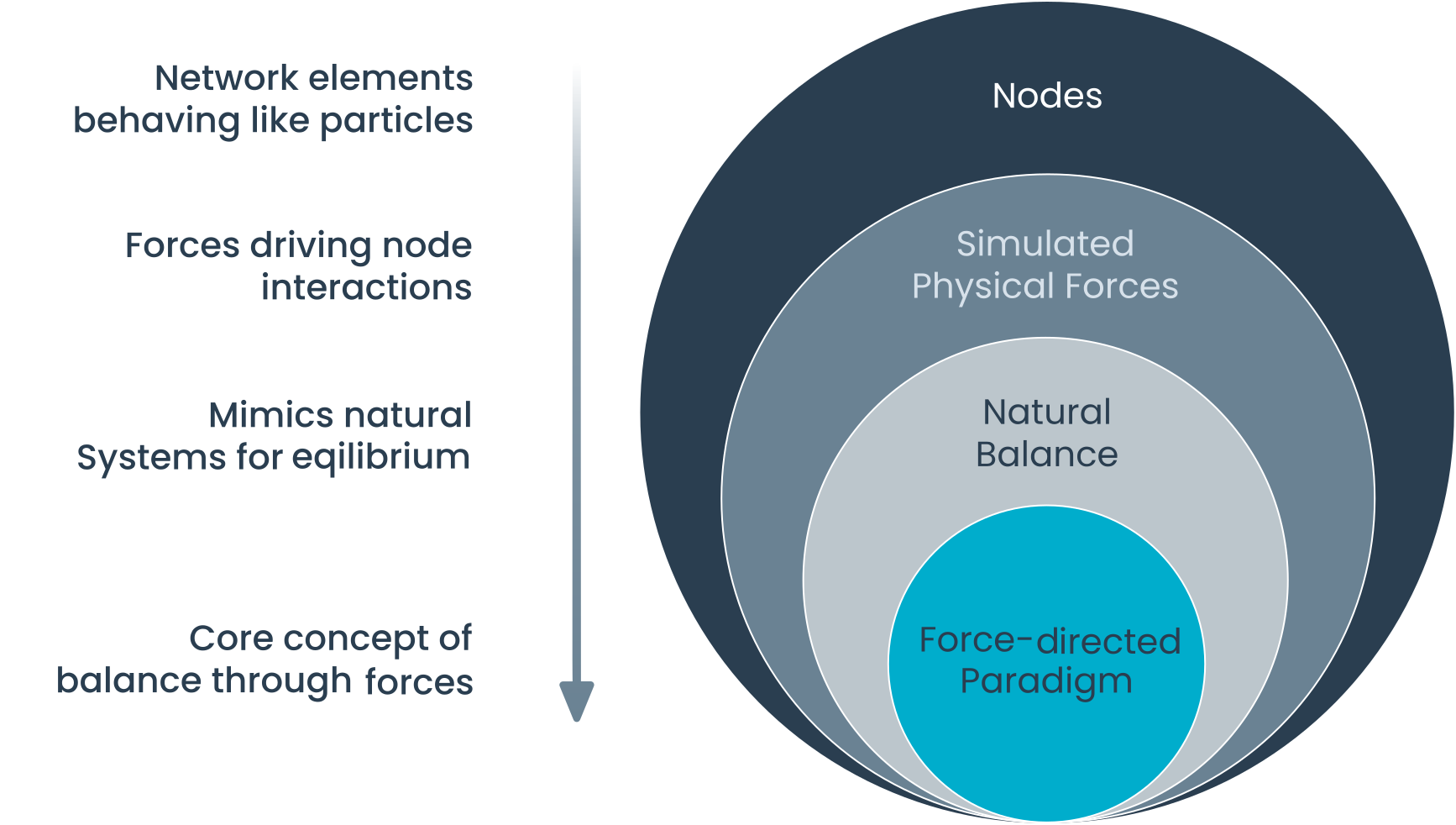
An organic layout is a graph visualization technique inspired by natural physical systems. It's based on the force-directed paradigm, which simulates the graph as a system of forces. Here, the layout algorithm visualizes graphs by employing a physical model: nodes act as repelling objects, pushing away non-adjacent neighbors with a force that diminishes with distance. Conversely, edges behave like springs with a preferred length, exerting attractive or repulsive forces on connected nodes depending on their proximity.
Node repulsion
Nodes are treated like electrically charged particles that repel each other, preventing overlaps and encouraging even distribution.
Edge springs
Edges act like springs that pull connected nodes together, maintaining a desired proximity.
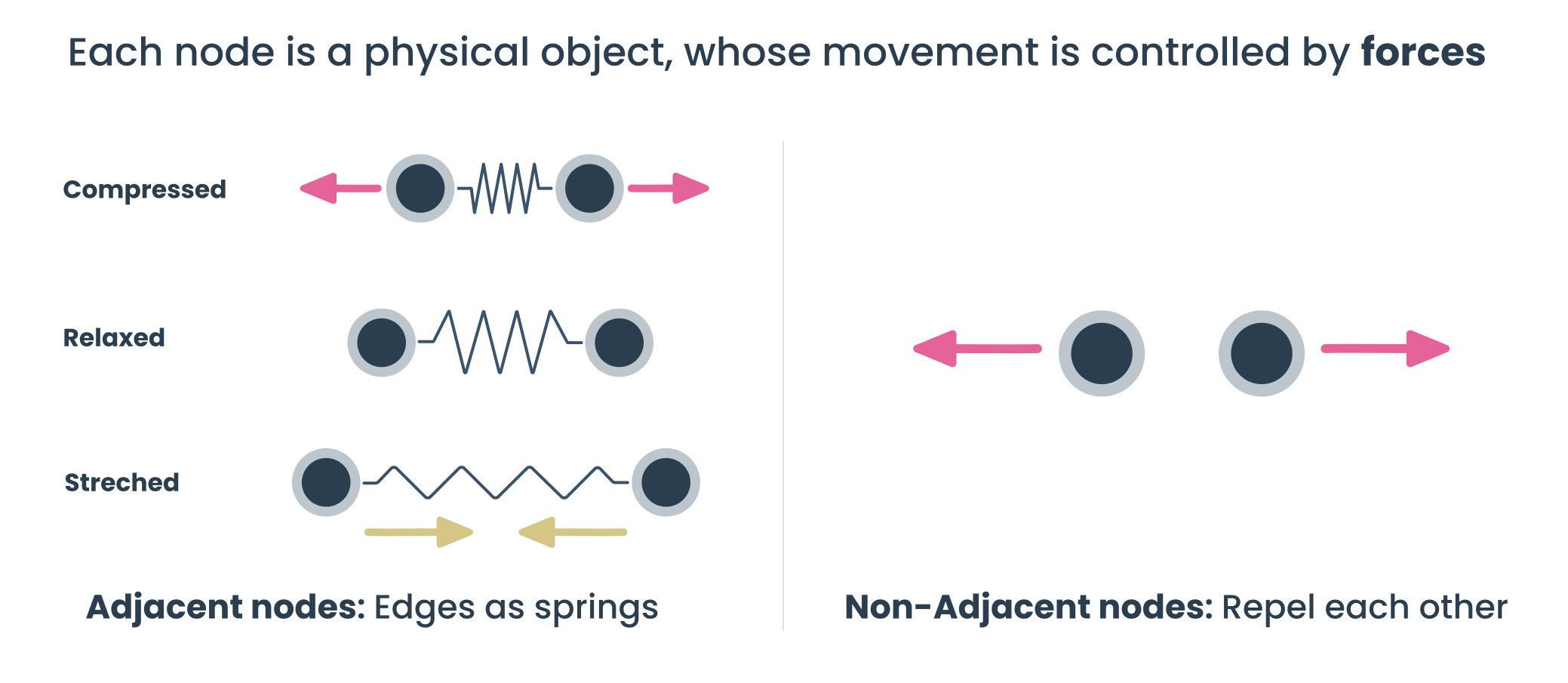
Equilibrium goal
The layout process adjusts node positions iteratively until the forces balance out where repulsive and attractive forces cancel each other. This equilibrium represents a visually balanced and readable graph.
Through this iterative process of simulating physical forces and making small adjustments to node positions, the system gradually reaches a balanced state—resulting in visually organic and intuitively structured graph layouts.
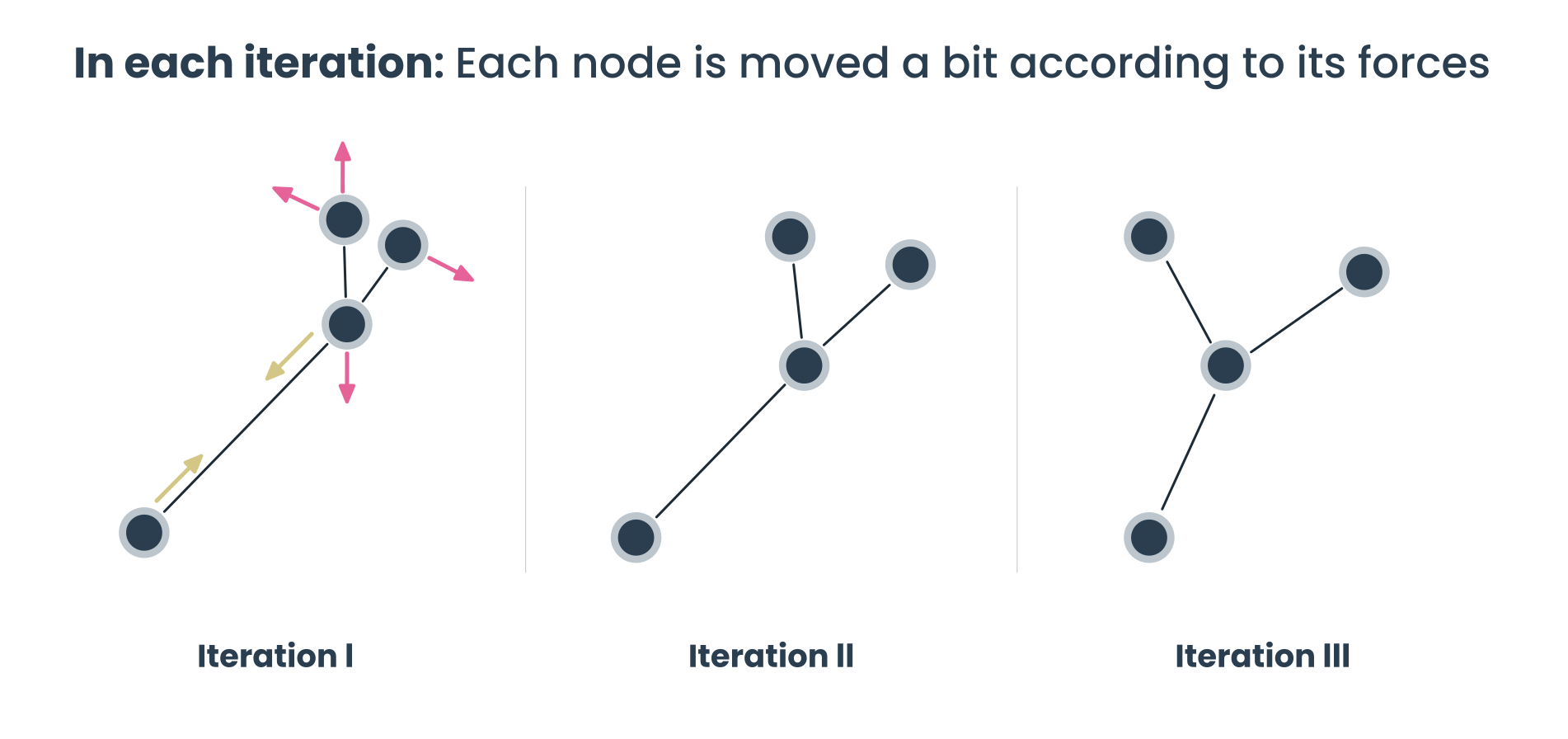
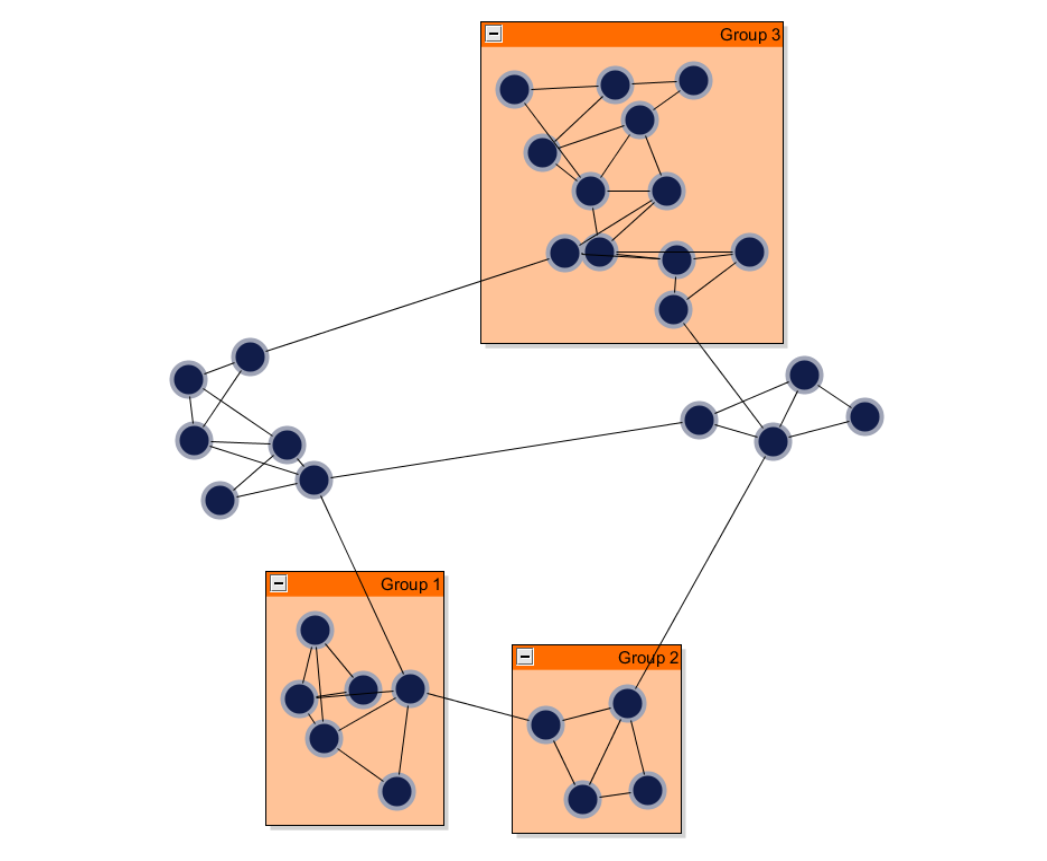
The result is a layout that naturally reveals the graph's structure and relationships, clusters emerge intuitively, and underlying symmetries often become visible.
Think of clusters that resemble natural forms, such as the flower of life or hexagonal grids. Node and edge arrangements can reflect patterns like nets, spirals, or concentric circles, depending on the graph's structure and parameters.
These layouts aren't just visually pleasing, they mirror real-world systems like neural networks, ecosystems, and social graphs.
Create your own organic diagram application
Whether you're visualizing protein interaction maps, knowledge representations, or system management, yFiles lets you build stunning applications with organic layouts—no manual node arrangement needed. Our advanced algorithms handle any complexity and adapt to your data and use case.
Interactive features, animations, and flexible styling ensure a great user experience, and thanks to seamless web integration, you can launch your solution on any platform.
Build your first organic graph application today—for free!


Thank you!
Your message has been sent.
We'll get back to you as soon as possible.
Use cases Visualizing relationships and structures
The organic layout in yFiles is ideal for visualizing complex, interconnected data. It's especially well-suited for use cases like network diagrams, knowledge graphs, or dependency structures where a natural, flowing arrangement helps reveal relationships, clusters, and patterns at a glance.
Industries such as software development, telecommunications, finance, and research frequently utilize this layout to manage and present large-scale, dynamic data networks.
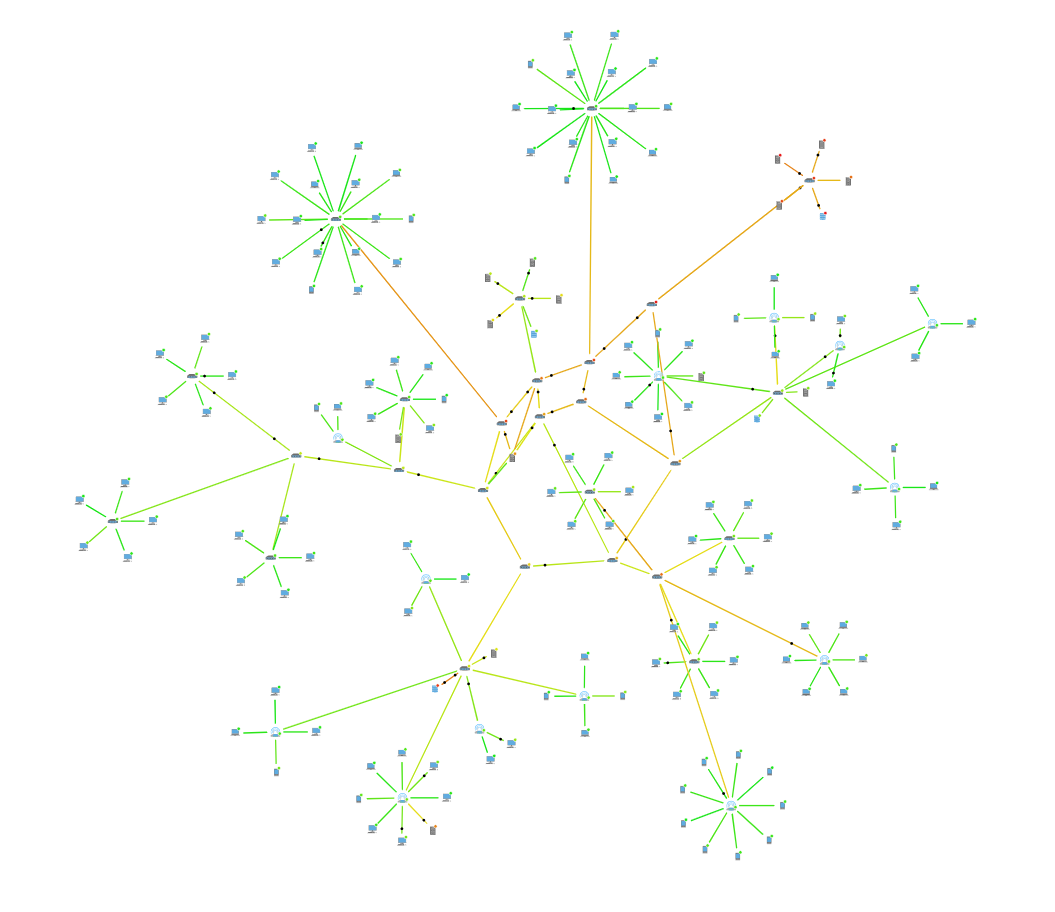
Network and system management
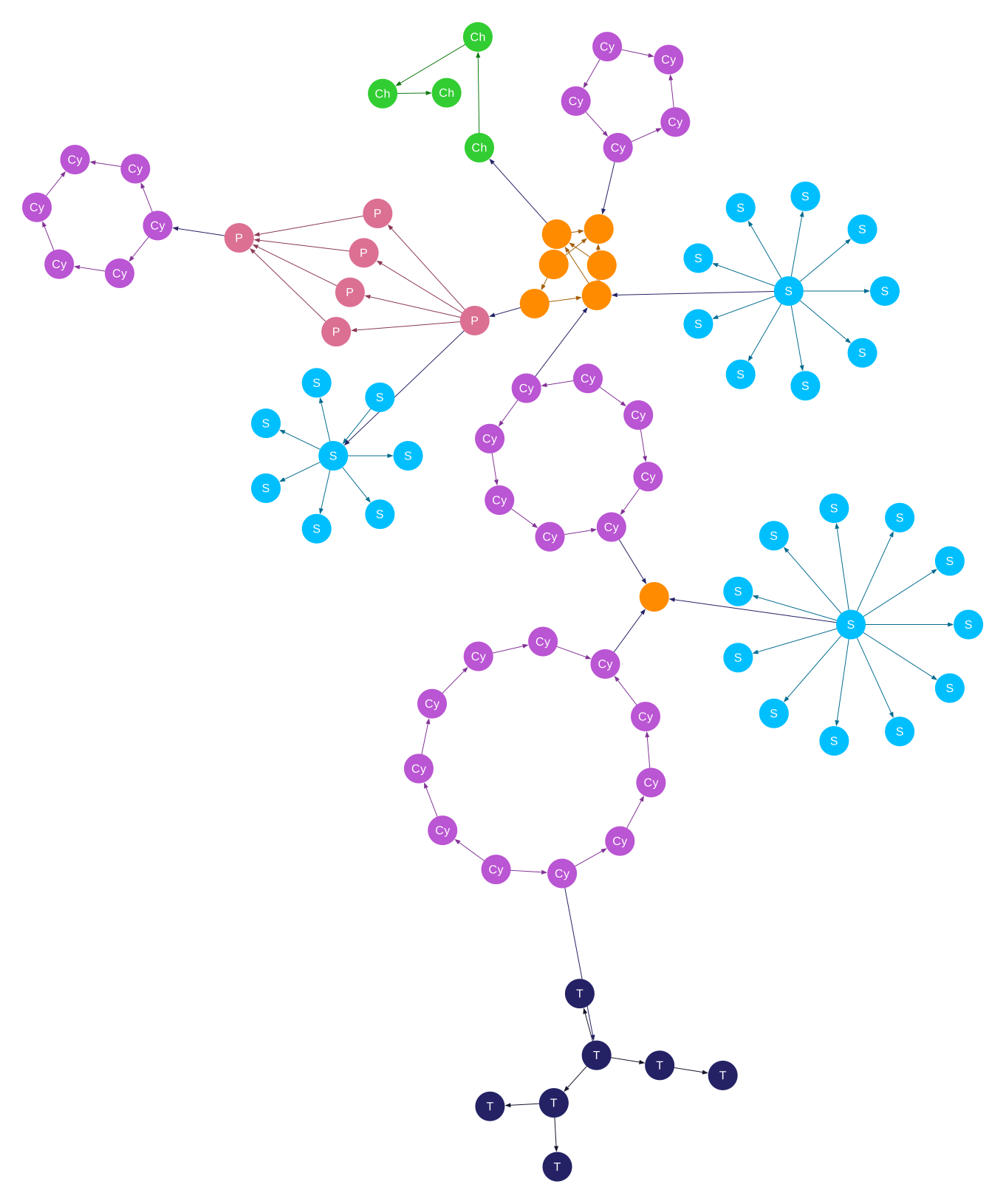
Organic layouts are ideal for enterprise networks and system management. By positioning densely connected nodes at the center and loosely connected elements toward the periphery, they make core backbones and peripheral structures easy to interpret. This reveals high-traffic hubs, tightly coupled components, dependency chains, and isolated modules at a glance. The approach works equally well for telecommunications and social networks as it does for software architecture diagrams and infrastructure maps, supporting clear analysis, maintenance, and optimization.
Go to the network monitoring demo .
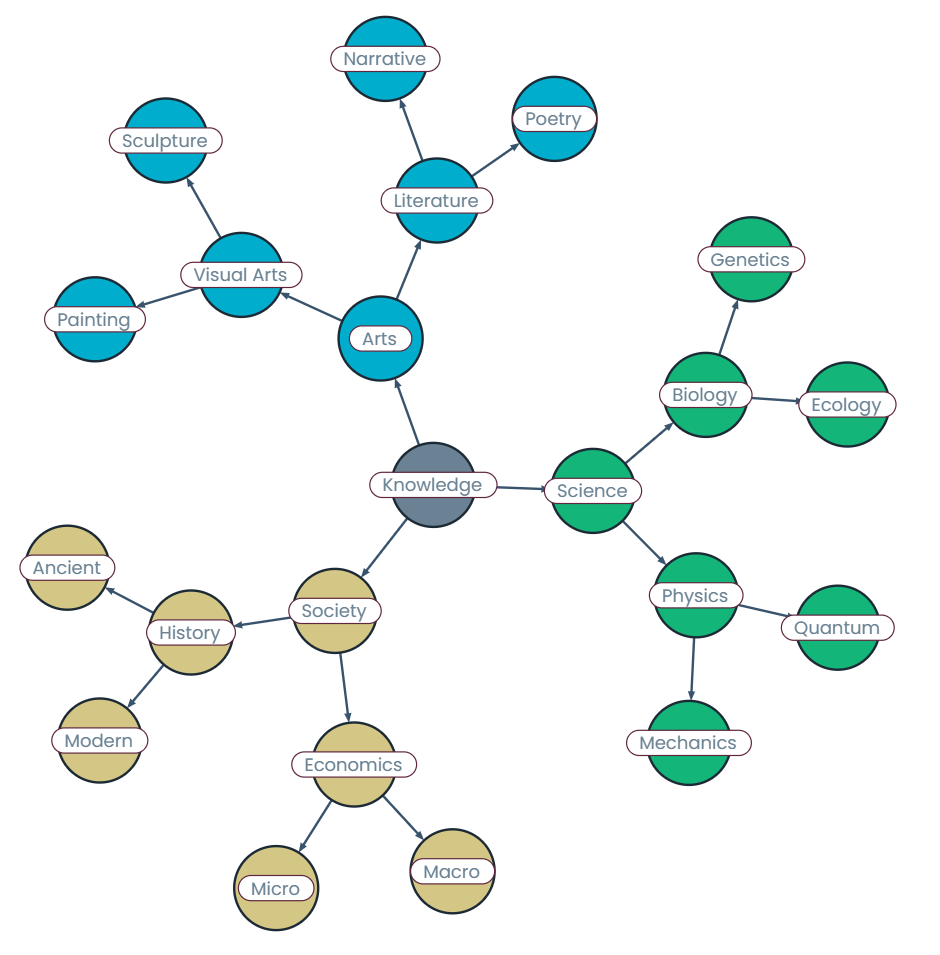
Knowledge representation
Organic layouts are ideal for visualizing interconnected concepts, such as in mind maps, knowledge graphs, or semantic networks.
Their ability to dynamically space related ideas while maintaining visual balance helps users intuitively follow connections and understand relationships.
This makes them especially useful in educational tools or research platforms where clarity and conceptual flow are essential.
Biological systems
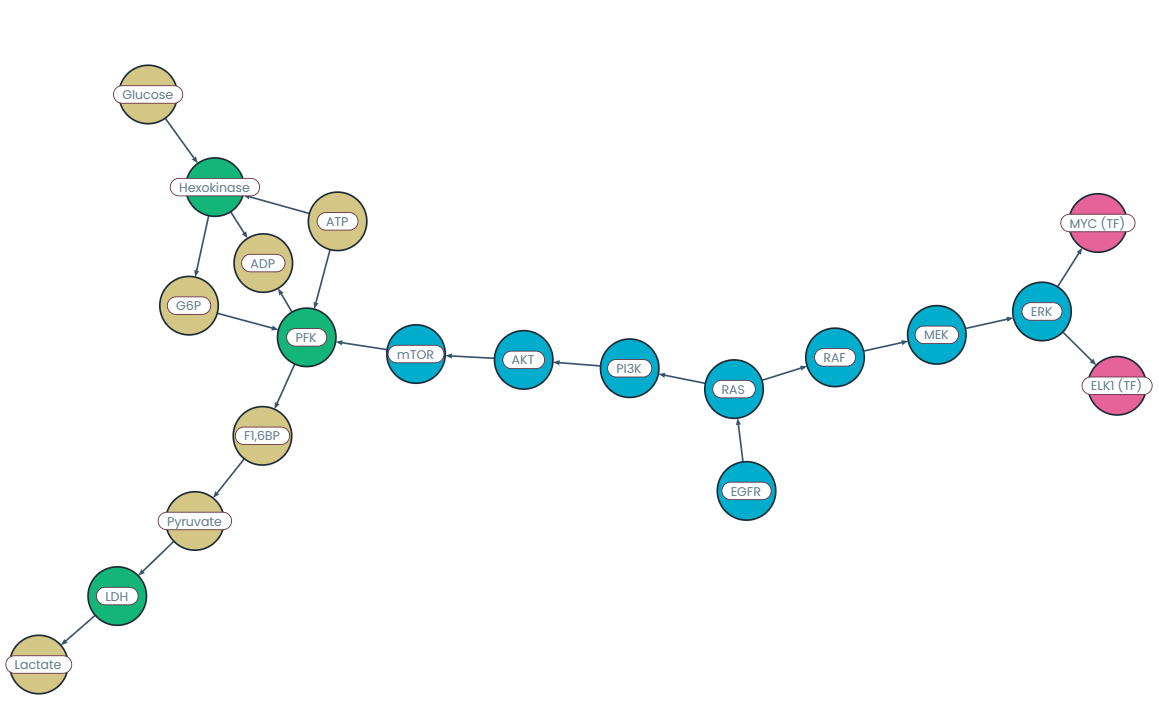
In bioinformatics, organic layouts are particularly effective for visualizing complex biological networks such as protein–protein interactions, gene regulatory networks, or metabolic pathways. Their natural, force-directed style reveals hidden relationships, modular structures, and interaction hubs that might be missed in rigid grid or tree layouts.
For example, in a protein interaction map, the layout can highlight clusters of closely interacting proteins while maintaining clear spacing and minimal overlap, making the network easier to analyze and interpret visually. Organic layouts also work well for displaying metabolic pathways, exposing the complex relationships between metabolites and enzymes and helping reveal critical sub-networks and pathways.
This is where the strength of the yFiles implementation becomes apparent: its powerful constraint system enables such sophisticated layouts, making it possible to arrange these intricate biological networks in ways that would not be achievable with less advanced layout engines.
Go to the metabolic pathways demo .
World Wide Web visualization
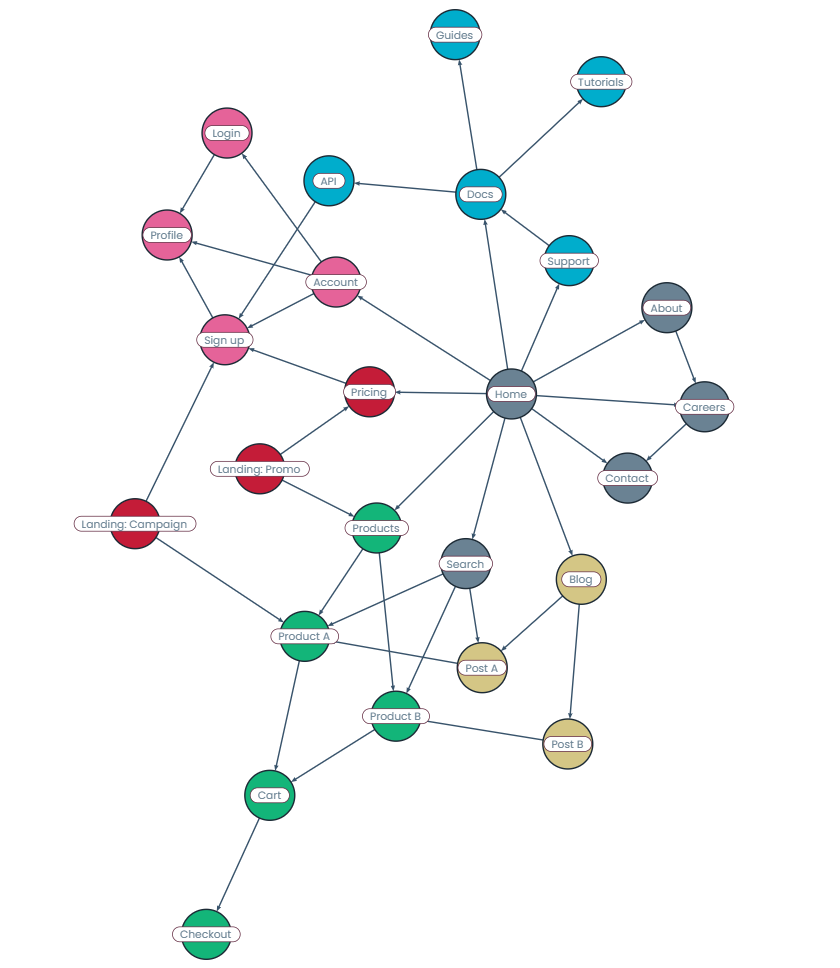
Organic layouts are well-suited for visualizing website link structures or user browsing patterns, as they can reveal how pages or users are interconnected through navigation paths.
Central hubs like homepages or landing pages naturally emerge, while less visited or isolated pages drift to the edges.
This helps web analysts identify structural bottlenecks, popular pathways, and opportunities to improve user flow or site architecture.
Mesh visualization
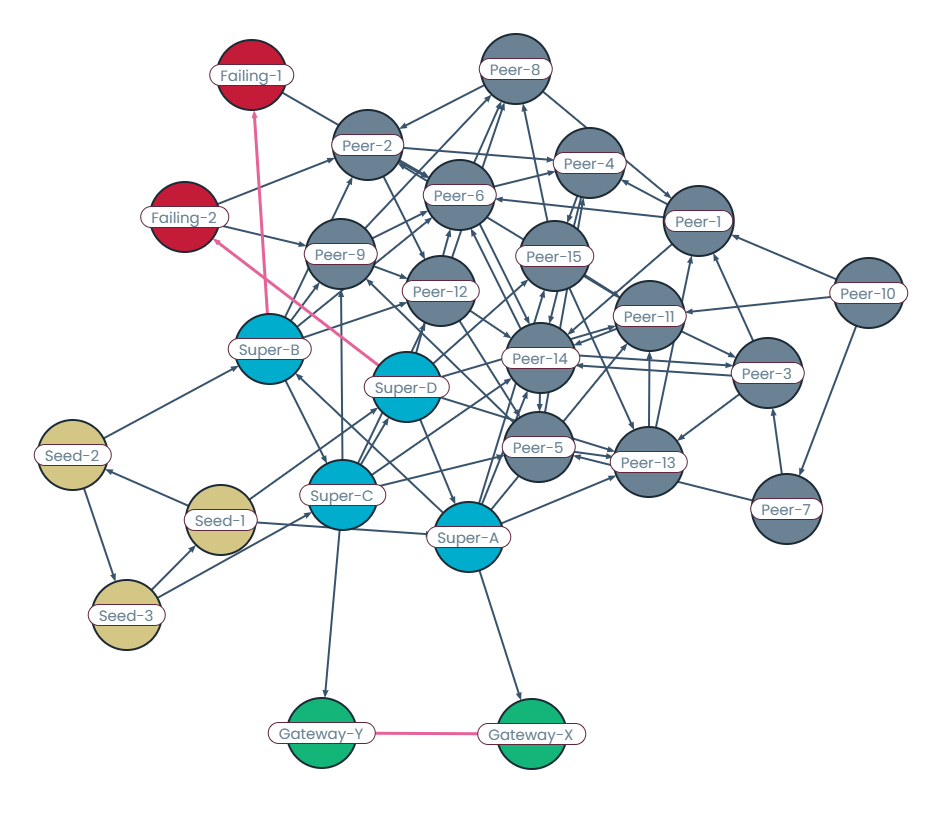
Organic layouts are ideal for showing connectivity in mesh-like data structures, such as sensor networks, transportation grids, or peer-to-peer systems.
Their force-based approach naturally distributes nodes and highlights both dense and sparse regions, making the overall connectivity pattern easy to interpret.
This allows analysts to quickly spot critical links, redundant paths, or potential points of failure within the mesh.
Power network
Power grids can also be effectively visualized using an organic layout, particularly when focusing on the interconnected nature of power stations, transmission lines, and substations.
The organic layout helps reveal the network's structure by illustrating how different components are linked and how electricity flows across the grid. It can highlight natural groupings and relationships within the grid, such as clusters of power plants or areas with high energy consumption.
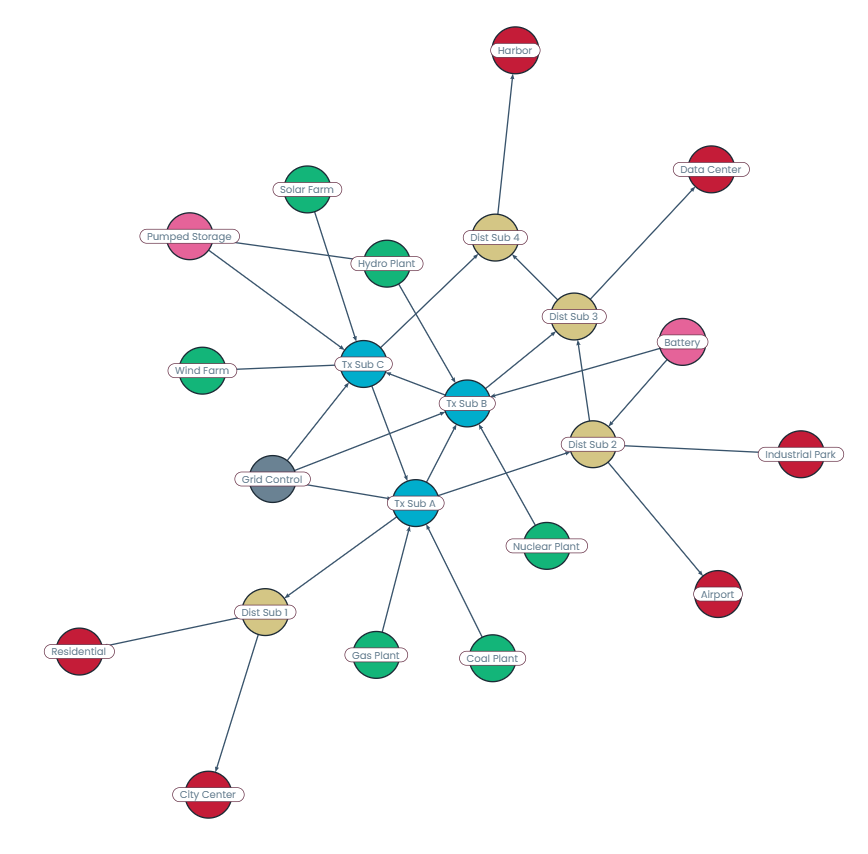
However, for certain aspects of power grids, such as illustrating voltage levels, regional distribution, or main transmission routes, a hierarchical or radial layout might be more effective to clearly represent the flow of electricity and the underlying infrastructure.
Organic layouts work best for visualizing the grid's overall connectivity and the dynamic interaction between its components.
Key features for effective graph visualization
Organic layouts stand out for handling complexity, adaptively revealing structure, and highlighting critical relationships. Here's how the algorithm improves network visualizations across diverse fields:
Automatic cluster revealing
Emphasis on connectivity
Layout adaptability
Visual clarity in dense networks

Core principles of the organic layout Take control of structure and clarity
Force-directed model
The force-directed model uses node repulsion based on proximity, edge forces where edges attract to reach a preferred length and repel if too short, and an iterative simulation process that gradually adjusts node positions until the system reaches a stable layout.
Symmetry and clustering
The algorithm naturally tends to group related nodes and reveal underlying symmetries. As it balances forces, connected elements are pulled closer together while maintaining space from unrelated ones, allowing clusters to form organically and visual patterns to surface.
Balanced distribution
The forces in the layout encourage a more even spread of nodes by pushing them apart while keeping connected nodes close together. This results in improved clarity.
Handling highly connected structures
The algorithm is well suited for graphs with backbone regions and attached peripheral structures, keeping central clusters clear while allowing connected outer nodes to arrange naturally.

Concepts recap
| Concept | Meaning |
|---|---|
| Force simulation | Nodes repel, edges act like springs. |
| Equilibrium | The goal of the simulation to minimize forces. |
| Symmetry & clustering | Natural outcomes of the force model. |
| Balanced distribution | Even spacing of nodes. |
Watch the full webinar episode
Watch the full episode below to gain a comprehensive understanding of organic layouts in yFiles. Dr. Benjamin Niedermann walks you through the core concepts and provides practical demonstrations.
Explore more resources:

Watch the full episode below to gain a comprehensive understanding of hierarchic layouts in yFiles. Dr. Benjamin Niedermann walks you through the core concepts and provides practical demonstrations.
Explore more resources:
Organic layout demos
Discover a selection of interactive demos showcasing different organic layout features in yFiles. Explore how various layout options help visualize complex structured data clearly and intuitively.



Step-by-step guide How to develop an organic layout with yFiles
Creating an organic graph layout with yFiles takes just a few steps:
1. Create the network from business data
2. Make information visible
3. Improve arrangement
4. Apply different layout options
Interactive organic layout playground
The Playground lets you experiment with yFiles' organic layout interactively. Create, edit, and style graphs, adjust layout parameters, and see results instantly—all in one online IDE. Discover how easy it is to prototype and design graph-based applications with yFiles.
  graph.nodeDefaults.size = [70, 70];
  graph.nodeDefaults.style = new ShapeNodeStyle({
    shape: ShapeNodeShape.ELLIPSE,
    cssClass: "node",
  });

  graph.nodeDefaults.labels.style = new LabelStyle({
    shape: LabelShape.PILL,
    backgroundFill: "white",
    backgroundStroke: "1px solid #6A8293",
    font: "15px poppins",
    textFill: "#6A8293",
  });


  graph.edgeDefaults.labels.style = new LabelStyle({
    shape: LabelShape.PILL,
    backgroundFill: "#6A8293",
    backgroundStroke: "1px solid white",
    font: "15px poppins",
    textFill: "white",
  });
  graphComponent.fitGraphBounds()

Why use yFiles' organic layout? Unique capabilities for organic layouts you won't find in other SDKs.
While many software development kits (SDKs) can generate organic layouts, only yFiles provides these game-changing advantages, like advanced constraint support, and optimized performance for large graphs:
Overlap-free visualization
Intelligent label placement
Supports hierarchical group nodes
Advanced constraints support

Optimized for large graphs
Simple configuration
Incremental layout support
Interactive and static visualization
Substructure detection & highlighting

3D network layouts
Automatic clustering
clusteringPolicy)
Ideal for visually exploring relationships and uncovering patterns, the organic layout creates natural, aesthetically pleasing diagrams that highlight clusters and structural hierarchies within your data.
Powered by yFiles' robust engine, the organic layout can handle graphs with thousands of nodes. It offers responsive, real-time updates and smooth animations, even as your data grows and changes.
Frequently Asked Questions
When should I use the organic layout instead of other layouts like hierarchical or circular?
How customizable is the organic layout for different use cases?
How does organic layout perform with large graphs?
Is the organic layout suitable for directed graphs?
It can visualize directed graphs and, if configured, take edge directions and flow into account to a certain extent. However, for clearly illustrating parent-child relationships or process flows, the hierarchical layout is usually the better choice.
What types of data benefit most from organic layout?
Recap
Organic layout

Organic layout is a graph visualization approach inspired by natural systems, simulating forces among nodes and edges to reveal structure, clusters, and symmetry in data. Unlike rigid grid-based arrangements, organic layout positions elements by balancing simulated repulsion and attraction, resulting in clear, visually appealing networks ideal for bioinformatics, knowledge graphs, network analysis, and system management.
The yFiles SDK offers a powerful and flexible organic layout algorithm, supporting interactive exploration, dynamic updates, and advanced customization. With features like cluster detection, incremental updates, and constraint-based arrangement, yFiles enables the creation of natural, readable diagrams no matter the complexity, as described in about the layout, core principles, and key benefits.
For use case examples, see use cases, for practical guidance see the step-by-step coding guide, or experiment live with the interactive playground. yFiles makes it easy to integrate organic layouts into modern applications for actionable, scalable graph analysis.
Related content
Choose your next steps
Get connected
Connect with our Customer Success Team regarding your ideas or projects.

Download yFiles
Try yFiles free of charge.